In the vast and dynamic world of content creation, selecting the best platform for content creators can significantly influence your success. With numerous options available, each catering to different types of content and audiences, it’s essential to choose wisely. This step-by-step guide will help you navigate through the various platforms, ensuring you find the one that aligns with your goals and enhances your creative journey.

Step 1: Define Your Goals

Before diving into platform options, take a moment to clarify your goals as a content creator. Understanding your objectives will guide your decision-making process. Consider the following questions:

  • What type of content do you create? (e.g., videos, articles, podcasts, artwork)
  • Who is your target audience? (e.g., age, interests, demographics)
  • What are your monetization goals? (e.g., ad revenue, subscriptions, merchandise sales)

Defining your goals will help you determine which features and functionalities are essential in a platform.

Step 2: Identify Your Content Type

Different platforms cater to various types of content. Here’s a breakdown of the most popular categories:

1. Video Platforms

  • YouTube: The largest video-sharing platform, ideal for creators focusing on video content. It offers monetization options through ads, memberships, and super chats.
  • Twitch: Primarily for gamers, Twitch allows live streaming and real-time interaction with audiences.

2. Blogging Platforms

  • WordPress: A versatile platform for bloggers and writers, offering extensive customization and monetization through ads and affiliate marketing.
  • Medium: Great for writers focusing on articles and essays, Medium provides a built-in audience and a Partner Program for monetization.

3. Social Media Platforms

  • Instagram: Perfect for visual content creators, Instagram facilitates engagement through images, stories, and IGTV.
  • TikTok: Known for short-form videos, TikTok is ideal for reaching a younger audience with entertaining content.

4. Podcasting Platforms

  • Spotify: A leading platform for podcasts, offering extensive reach and monetization through ads and sponsorships.
  • Apple Podcasts: One of the most popular podcast platforms for reaching a broad audience.

5. All-in-One Platforms

  • Patreon: Allows creators to monetize their work through subscriptions, offering exclusive content to supporters.
  • Ko-fi: Enables creators to receive donations and support from fans, making it suitable for independent creators.
  • Fanbridge: A comprehensive platform for audience engagement, email marketing, and monetization, ideal for creators looking to build a loyal fanbase.

Step 3: Research Platform Features

Now that you have an idea of what content type you want to focus on, research the features of each platform. Here are some key features to consider:

1. Ease of Use

A user-friendly interface is essential for both content creation and audience engagement. Look for platforms that offer intuitive navigation and straightforward publishing processes.

2. Audience Reach

Consider the size and demographics of the platform’s audience. Platforms with larger user bases can provide greater exposure for your content. Research where your target audience spends their time online.

3. Monetization Options

Evaluate the monetization features offered by each platform. Some allow for ad revenue, while others focus on subscriptions or merchandise sales. Choose a platform that aligns with your financial goals.

4. Customization and Branding

Look for platforms that enable you to customize your profile and content. Creating a unique brand identity is crucial for standing out in a crowded marketplace.

5. Community Engagement

Consider how well the platform facilitates interaction with your audience. Features like comments, live chats, and community forums can enhance engagement and build loyalty among followers.

6. Analytics and Insights

Analytics tools are vital for understanding your audience and optimizing your content. Look for platforms that provide detailed insights into viewer behavior, engagement metrics, and performance trends.

Step 4: Evaluate Popular Platforms

Let’s take a closer look at some of the most popular platforms and their offerings:

YouTube

  • Strengths: Vast audience, robust monetization options, powerful search engine.
  • Best For: Video creators, educators, entertainment channels.
  • Considerations: High competition; requires consistent quality and engagement.

Twitch

  • Strengths: Real-time engagement, community building, subscription options.
  • Best For: Gamers, live-streaming content, interactive creators.
  • Considerations: Primarily focused on gaming; can be niche-specific.

WordPress

  • Strengths: Customization, SEO-friendly, versatile content types.
  • Best For: Bloggers, writers, businesses.
  • Considerations: Requires some technical knowledge for customization.

Medium

  • Strengths: Built-in audience, easy publishing, focus on quality content.
  • Best For: Writers, journalists, thought leaders.
  • Considerations: Limited monetization options compared to other platforms.

Instagram

  • Strengths: Visual engagement, strong community, brand-building tools.
  • Best For: Photographers, artists, lifestyle influencers.
  • Considerations: Algorithm changes can impact visibility; requires consistent posting.

Patreon

  • Strengths: Direct support from fans, subscription model, exclusive content.
  • Best For: Creators with a dedicated following looking to monetize.
  • Considerations: Requires effort to maintain subscriber engagement.

Fanbridge

  • Strengths: Audience engagement through email marketing, fan management, and monetization tools.
  • Best For: Creators looking to build and maintain a loyal fanbase.
  • Considerations: May require initial setup to optimize features effectively.

Step 5: Test Multiple Platforms

Don’t hesitate to experiment with multiple platforms to see which one resonates most with you and your audience. Many platforms allow you to create accounts for free, enabling you to test their features. Consider the following:

1. Create Test Accounts

Set up accounts on different platforms to explore their functionalities. Take note of how easy it is to navigate, publish content, and engage with the audience.

2. Publish Sample Content

Upload sample content to various platforms to gauge audience interaction and engagement. This will help you understand where your content performs best.

3. Gather Feedback

Engage with your audience and ask for their opinions on where they prefer to consume your content. Their feedback can provide valuable insights into your decision-making process.

Step 6: Analyze and Reflect

Once you’ve tested different platforms, analyze your experiences to make an informed decision. Consider the following:

1. Review Metrics

Look at the engagement metrics from your test streams or posts. Which platform generated the most interaction? Where did you receive the most positive feedback?

2. Reflect on Ease of Use

Evaluate which platform you found easiest to use. A user-friendly interface can significantly enhance your content creation experience.

3. Consider Long-Term Goals

Think about how each platform aligns with your long-term goals as a content creator. Choose a platform that supports your vision and future aspirations.

Step 7: Commit to Your Chosen Platform

Once you’ve selected the best platform for content creators, it’s time to commit to it fully. Here’s how to make the most of your new choice:

1. Optimize Your Profile

Ensure your profile is fully optimized. Use a professional image, write a compelling bio, and include links to your other social media or websites.

2. Create a Content Calendar

Develop a content calendar to plan and schedule your posts. Consistency is key to building an audience and maintaining engagement.

3. Engage with Your Audience

Actively interact with your audience through comments, messages, and live sessions. Building a community around your content will foster loyalty and encourage growth.

4. Monitor Performance

Keep an eye on your metrics regularly. Use analytics tools to track your performance and adjust your strategies based on what works best.

Conclusion

Finding the best platform for content creators is a crucial step in your creative journey. By defining your goals, identifying your content type, researching features, and testing multiple platforms, you can make an informed decision that aligns with your aspirations. Remember to commit to your chosen platform, engage with your audience, and continuously monitor your performance. With the right platform, you can elevate your content creation efforts and achieve success.


In the vibrant world of live music, securing effective concert sponsorship can be a game-changer for event organizers. Sponsorship not only provides essential financial backing but also enhances the overall concert experience for attendees. This guide will delve into effective strategies for securing and maximizing concert sponsorships, ensuring a successful partnership that benefits both sponsors and organizers.

1. Understanding Concert Sponsorship

Concert sponsorship involves a brand or company providing financial support or resources for a concert in exchange for promotional opportunities and visibility. This relationship can take many forms, from monetary contributions to in-kind support, such as providing equipment or services.

Importance of Concert Sponsorship

  • Financial Support: Sponsorship helps cover costs such as venue rental, artist fees, and marketing expenses.
  • Brand Visibility: Sponsors gain exposure to a targeted audience, enhancing their brand recognition and customer engagement.
  • Credibility: Associating with reputable sponsors can lend credibility to the event, attracting more attendees and building trust.

2. Identifying Potential Sponsors

The first step in securing effective concert sponsorship is identifying potential sponsors that align with your event’s goals and target audience.

a. Research Brands

Look for brands that have a history of sponsoring concerts or events similar to yours. Research their target demographics to ensure they align with your audience. This alignment increases the likelihood of a successful partnership.

b. Consider Local vs. National Brands

While national brands often have larger budgets, local businesses can be equally valuable. They may be more inclined to support community events and engage directly with their customer base. Don’t overlook the potential of local sponsors who are passionate about supporting their community.

c. Create a Target List

Compile a list of potential sponsors with their contact information and relevant insights. This organized approach will streamline your outreach efforts.

3. Crafting a Compelling Sponsorship Proposal

Once you’ve identified potential sponsors, it’s crucial to create a compelling sponsorship proposal that outlines the benefits of partnering with your concert.

a. Outline the Benefits

Clearly articulate what sponsors will gain from their investment. Consider including:

  • Brand Exposure: Highlight how their logo will be displayed on promotional materials, signage, and merchandise.
  • Engagement Opportunities: Describe how sponsors can interact with attendees through product samples, contests, or exclusive experiences.
  • Media Coverage: If applicable, mention any media partnerships that will cover the event and the sponsor’s involvement.

b. Create Different Sponsorship Levels

Offer multiple sponsorship tiers to accommodate different budgets. For example:

  • Title Sponsor: The highest level with maximum visibility.
  • Gold/Silver/Bronze Sponsors: Mid-tier options with varying benefits and exposure.

c. Include Metrics and Data

If you have organized concerts in the past, include data from previous events. Metrics such as attendance numbers, social media engagement, and media coverage can provide potential sponsors with a clearer picture of the value they would receive.

4. Building Relationships with Sponsors

Securing concert sponsorship is not just about the initial deal; it’s about building lasting relationships.

a. Communicate Regularly

Keep sponsors updated on event planning progress and any changes that may affect their involvement. Open lines of communication are essential for building trust and demonstrating that you value their partnership.

b. Provide Opportunities for Engagement

Encourage sponsors to engage with attendees before, during, and after the concert. This could include social media shout-outs, contests, or branded experiences. Engaging the audience helps sponsors connect with potential customers.

c. Solicit Feedback

After the concert, ask sponsors for feedback on their experience. Understanding their perspective can help improve future partnerships and demonstrate your commitment to their success.

5. Delivering Value During the Concert

Ensuring that sponsors receive the value they were promised during the concert is crucial for securing future partnerships.

a. Implement the Sponsorship Agreement

Make sure that all elements of the sponsorship agreement are fulfilled. This includes logo placements, promotional mentions, and any specific engagement activities promised.

b. Capture Engagement Metrics

During the concert, capture metrics related to sponsor engagement. Monitor how many people interacted with sponsor booths, shared social media posts, or participated in contests. This data is invaluable for post-event reporting.

c. Create an Engaging Atmosphere

Help sponsors create memorable experiences for attendees by providing engaging activities or contests. A well-executed activation can leave a lasting impression of the sponsor’s brand.

6. Post-Event Follow-Up

After the concert, the relationship with your sponsors should continue.

a. Send Thank-You Notes

Express gratitude to your sponsors for their support. A personalized thank-you note can go a long way in building rapport and showing that you value their partnership.

b. Provide a Recap Report

Compile a detailed report that outlines the success of the event, including attendance figures, engagement metrics, and media coverage. Include how the sponsors’ contributions made a difference. This transparency helps build trust and credibility.

c. Discuss Future Opportunities

If the concert was successful, discuss potential future sponsorship opportunities with your sponsors. This can lead to long-term partnerships that benefit both parties.

7. Leveraging Social Media for Sponsorship Exposure

In today’s digital age, social media is a powerful tool for maximizing sponsorship exposure.

a. Promote Sponsors on Various Platforms

Use your event’s social media accounts to promote sponsors before, during, and after the concert. Share posts that highlight their involvement and encourage attendees to engage with their brands.

b. Create Engaging Content

Develop engaging content that showcases sponsors’ products or services. This could be through videos, interviews, or live streams that feature sponsors during the concert.

c. Utilize Hashtags

Create a unique event hashtag that sponsors can use to track engagement and conversations on social media. Encourage attendees to use this hashtag when sharing their experiences.

8. Evaluating Sponsorship Success

After the event, it’s important to evaluate the success of your sponsorships.

a. Analyze Data and Metrics

Review the data collected during the concert to assess sponsor engagement. Analyze attendance numbers, social media interactions, and any other relevant metrics to gauge the effectiveness of the sponsorship.

b. Gather Feedback from Sponsors

Reach out to sponsors for their feedback on the partnership. Understanding their perspective can provide valuable insights for future events and help you improve your approach.

c. Document Lessons Learned

Take detailed notes on what worked well and what didn’t. This documentation will be invaluable for planning future events and improving your concert sponsorship strategies.

Conclusion

Effective concert sponsorship is a multifaceted process that requires careful planning, relationship-building, and continuous evaluation. By identifying potential sponsors, crafting compelling proposals, and delivering value both during and after the concert, you can secure successful partnerships that enhance your event. Remember that the goal is not only to secure funding but to foster long-lasting relationships that can lead to future collaborations. With the right strategies in place, you can elevate your concert experience while maximizing revenue through sponsorships.

Setting up a radio station can be an exciting and rewarding venture, allowing you to share your voice, music, and ideas with a broader audience. One of the most critical steps in this process is selecting and configuring the right radio station software. This software is essential for managing everything from broadcasting to scheduling and advertising. In this beginner’s guide, we will walk you through the steps to set up your radio station software effectively, ensuring you have everything in place for a successful launch.

Understanding Radio Station Software

Before diving into the setup process, it’s essential to understand what radio station software is and its key functionalities. Radio station software encompasses a range of tools designed to help you manage your broadcasting operations. These tools can include:

  • Automation Systems: Manage playlists and schedule broadcasts.
  • Audio Processing: Enhance sound quality during broadcasts.
  • Analytics Tools: Monitor listener engagement and demographics.
  • Ad Management: Schedule and track advertising spots.
  • Integration with Streaming Services: Stream your content online.

Choosing the right software is crucial for your station’s success, so take the time to evaluate your options based on your specific needs.

Step 1: Define Your Station’s Needs

Before you select radio station software, it’s essential to define your station’s specific needs. Consider the following questions:

  • What type of content will you broadcast?
  • Will you have live shows, pre-recorded content, or both?
  • How many hosts and guests will you have?
  • What is your target audience?

Understanding your requirements will help you choose software that meets your operational needs.

Step 2: Research Available Software Options

Once you’ve defined your needs, it’s time to research the available radio station software options. Here are some popular choices and their features:

  1. Radio.co: A cloud-based solution that offers automation, live broadcasting, and analytics. It’s user-friendly and ideal for beginners.
  2. SAM Broadcaster: This software provides advanced automation and audio processing features. It’s excellent for stations looking for more control over their broadcasts.
  3. Mixxx: An open-source software that is free to use and offers basic automation features. It’s a great option for those on a budget.
  4. Nicecast: Designed for Mac users, Nicecast simplifies live broadcasting and integrates easily with other applications.
  5. Zeno Media: This platform allows you to broadcast your station online and provides tools for managing audio and advertising.

Evaluate these options based on your requirements, budget, and ease of use. Look for reviews and testimonials to gauge user satisfaction.

6. Radiocloud.app

Overview: An all-in-one platform designed for modern broadcasters, providing a suite of tools for growth and monetization.

Key Features:

  • 24/7 cloud-based streaming
  • Interactive listener tools (chat, polls, voice messages)
  • Real-time analytics and campaign tracking

Step 3: Acquire Necessary Hardware

While your software will handle most broadcasting tasks, you’ll also need some essential hardware to get started:

  • Microphone: Invest in a high-quality microphone to ensure clear audio. Condenser microphones are popular for broadcasting.
  • Headphones: Good headphones will help you monitor your audio and ensure quality during recordings.
  • Mixer: If you have multiple audio sources (like guests or music), a mixer will help you manage the sound levels.
  • Computer: A reliable computer with sufficient processing power will be essential for running your radio station software smoothly.
  • Internet Connection: A stable and fast internet connection is crucial for live streaming and uploading content.

Make sure your hardware is compatible with your chosen software and consider investing in backup options to ensure reliability.

Step 4: Install and Configure Your Software

Once you’ve selected your radio station software and acquired the necessary hardware, it’s time to install and configure the software. Follow these general steps:

  1. Download and Install: Follow the manufacturer’s instructions to download and install the software on your computer.
  2. Set Up Your Profile: Most software will require you to create a profile for your station. This includes entering your station name, genre, and contact information.
  3. Configure Audio Settings: Adjust the audio settings to ensure your microphone and mixer are correctly configured. Test the input and output levels to avoid any issues during broadcasts.
  4. Import Music and Content: Upload your music library, pre-recorded shows, and any other content you plan to broadcast. Organize your library for easy access.
  5. Schedule Your Programming: Use the scheduling feature to plan your broadcasts. This includes setting times for live shows, pre-recorded content, and advertisements.
  6. Test Your Setup: Before going live, conduct test broadcasts to identify and resolve any technical issues. This is also a good time to practice your on-air presence.

Step 5: Explore Advanced Features

Once you’ve set up the basics, take some time to explore the advanced features of your radio station software. These may include:

  • Automation Tools: Automate playlists and scheduling to streamline your broadcasts.
  • Analytics: Monitor listener metrics and engagement to refine your content strategy.
  • Marketing Tools: Utilize built-in marketing features to promote your station and attract listeners on social media.

Familiarizing yourself with these advanced features can help you maximize the benefits of your software and improve your station’s overall performance.

Step 6: Promote Your Station

With your software and content in place, it’s time to promote your radio station. Here are some effective strategies:

  1. Social Media: Utilize platforms like Facebook, Instagram, and Twitter to announce your launch and share updates about upcoming shows.
  2. Website: Create a website where listeners can find information about your programming, hosts, and how to listen live.
  3. Email Marketing: Build an email list and send newsletters to keep your audience informed about new episodes and events.
  4. Collaborate with Other Creators: Partnering with other podcasters or radio stations can help you tap into new audiences and grow your listener base.
  5. Engage with Listeners: Encourage listener interaction through social media, contests, and feedback channels. Engaged listeners are more likely to return and recommend your station to others.

Step 7: Monitor and Adjust

After launching your radio station, continuously monitor its performance. Use the analytics tools within your radio station software to track listener engagement and gather feedback. Regularly assess your programming and make adjustments as needed to keep your content fresh and appealing.

Conclusion

Setting up your radio station software is a crucial step in launching a successful broadcasting operation. By carefully selecting the right software, understanding your needs, and leveraging its features, you can create a compelling listening experience for your audience. With dedication and creativity, your radio station can thrive in the competitive broadcasting landscape.

In the rapidly evolving landscape of e-commerce, having an efficient and user-friendly online ordering platform for small business is essential for success. As consumer expectations continue to rise, small businesses must adopt solutions that enhance the customer experience while streamlining operations. This article explores the key features that make online ordering platforms effective, which can significantly impact sales and customer satisfaction.

Understanding the Importance of Online Ordering Platforms

An online ordering platform allows customers to browse products, place orders, and make payments through a website or mobile application. For small businesses, these platforms provide a vital channel for reaching customers, especially as more consumers turn to online shopping for convenience. An effective online ordering system can help businesses increase sales, improve operational efficiency, and enhance the overall customer experience.

Why Features Matter

The features of an online ordering platform can directly influence how effectively a business operates and how satisfied its customers are. A well-designed platform can lead to increased sales, reduced operational costs, and improved customer loyalty. Conversely, a poorly designed system can frustrate customers and drive them away.

Key Features to Look for in an Online Ordering Platform

1. User-Friendly Interface

A user-friendly interface is essential for both customers and staff. The ordering process should be straightforward, allowing customers to find products quickly and complete their purchases without confusion.

  • Intuitive Navigation: The platform should have a clean layout with easy navigation to help users locate products and services effortlessly.
  • Search Functionality: Implement a robust search feature that allows customers to find specific items quickly.
  • Clear Call-to-Action Buttons: Ensure that buttons for “Order Now,” “Add to Cart,” and “Checkout” are prominently displayed and easy to access.

2. Mobile Compatibility

With an increasing number of consumers shopping on their mobile devices, it is crucial that your online ordering platform is mobile-responsive.

  • Responsive Design: The platform should automatically adjust to fit various screen sizes, providing a seamless experience on smartphones and tablets.
  • Mobile App Option: Some businesses may benefit from a dedicated mobile app that offers a streamlined ordering experience.

3. Secure Payment Processing

Security is a top priority for online transactions. A reliable online ordering platform must offer secure payment processing options.

  • Multiple Payment Options: Support various payment methods, such as credit cards, PayPal, and digital wallets, to cater to different customer preferences.
  • PCI Compliance: Ensure that the platform adheres to Payment Card Industry Data Security Standards (PCI DSS) to protect customer information during transactions.

4. Real-Time Inventory Management

Effective inventory management is crucial for preventing stockouts and ensuring customer satisfaction. An online ordering platform should integrate with inventory management systems to provide real-time updates.

  • Stock Level Alerts: Implement automatic alerts for low stock levels to help businesses reorder products before they run out.
  • Inventory Visibility: Allow customers to see current stock levels when placing orders, reducing frustration and increasing transparency.

5. Customization Options

An effective online ordering platform should allow businesses to customize the user experience to align with their brand identity.

  • Branding Elements: The platform should enable businesses to incorporate their logos, color schemes, and other branding elements.
  • Custom Product Descriptions: Businesses should have the flexibility to create detailed product descriptions, including images, specifications, and pricing.

6. Order Tracking Capabilities

Providing customers with the ability to track their orders in real-time enhances transparency and builds trust.

  • Tracking Notifications: Implement automated notifications to keep customers informed about the status of their orders, including confirmation, shipping, and delivery updates.
  • Order History: Allow customers to view their past orders, making it easier for them to reorder items they love.

7. Customer Support Features

Excellent customer support is essential for addressing inquiries and resolving issues promptly.

  • Live Chat Options: Incorporate live chat functionality to provide immediate assistance to customers during the ordering process.
  • Comprehensive FAQs: Offer a well-organized FAQ section to address common questions and concerns, helping customers find information quickly.

8. Marketing and Promotion Tools

An effective online ordering platform should include features that help businesses promote their products and engage with customers.

  • Discount Codes and Promotions: Allow businesses to create and manage discount codes, special offers, and promotions to attract new customers and encourage repeat purchases.
  • Email Marketing Integration: Integrate with email marketing tools to send promotional emails, newsletters, and order confirmations.

9. Analytics and Reporting

Data-driven insights are crucial for businesses looking to optimize their operations and sales strategies.

  • Sales Reports: Provide businesses with detailed reports on sales performance, popular products, and customer behavior to inform decision-making.
  • Customer Insights: Analyze customer data to identify trends and preferences, enabling targeted marketing efforts.

10. Integration with Other Systems

An online ordering platform should seamlessly integrate with other business systems to streamline operations.

  • Accounting Software: Integration with accounting tools helps manage finances and track revenue without manual data entry.
  • CRM Systems: Connecting with customer relationship management (CRM) systems enhances customer engagement and improves marketing strategies.

Best Practices for Implementing an Online Ordering Platform

1. Define Clear Objectives

Before adopting an online ordering platform, clearly define your business objectives. What do you hope to achieve? Whether it’s increasing sales, improving customer satisfaction, or reducing operational costs, having specific goals will guide your implementation strategy.

2. Choose the Right Platform

Take the time to research and compare different online ordering platforms. Look for solutions that align with your specific needs and budget. Request demos or trials to evaluate usability and features.

3. Train Your Staff

Ensure that your staff is well-trained in using the online ordering platform. Provide comprehensive training sessions to familiarize them with the system and its features.

4. Promote Your Online Ordering System

Once your platform is live, promote it through various channels. Use social media, email marketing, and in-store signage to inform customers about the availability of online ordering.

5. Gather Feedback and Optimize

After launching the platform, gather feedback from customers and staff to identify areas for improvement. Use this feedback to make adjustments that enhance the user experience.

6. Monitor Performance

Regularly review analytics from your online ordering platform to track performance metrics. This data will help you identify trends, measure success, and inform future marketing strategies.

Conclusion

Investing in an online ordering platform for small business is a strategic move that can significantly boost sales and improve customer satisfaction. By incorporating key features such as a user-friendly interface, secure payment processing, and real-time inventory management, small businesses can streamline operations and enhance the customer experience. As you consider implementing an online ordering system, prioritize the features that align with your business goals and customer needs. With the right platform in place, your small business can thrive in today’s competitive marketplace.

In today’s security landscape, organizations are increasingly turning to security guard management systems to streamline operations, improve efficiency, and enhance service delivery. However, not all security operations are the same, and a one-size-fits-all approach often falls short. Customizing these systems to meet specific organizational needs is crucial for maximizing their effectiveness. This article explores how to customize security guard management systems effectively, the benefits of customization, and best practices for implementation.

Understanding Security Guard Management Systems

A security guard management system is a software solution designed to assist security firms and organizations in managing their personnel and operations effectively. These systems offer various features, including scheduling, reporting, incident management, and communication tools. By centralizing information and automating routine processes, these systems enable security teams to operate more efficiently.

Key Features of a Security Guard Management System

  1. Scheduling and Dispatching: Automates the process of scheduling security personnel, ensuring that the right guards are assigned to the right locations at the right times.
  2. Real-Time Reporting: Allows guards to report incidents and observations in real-time, enhancing communication and ensuring that management is always informed.
  3. Activity Logs: Maintains detailed logs of guard activities, which help in accountability and performance evaluations.
  4. Incident Management: Provides a platform for reporting and managing incidents, ensuring quick responses and thorough documentation.
  5. Mobile Access: Offers mobile applications that allow security personnel to access information and communicate with management while on the go.
  6. Client Management: Facilitates the management of client information, contracts, and billing, streamlining administrative tasks.

The Importance of Customization

Customizing a security guard management system is essential for several reasons:

1. Unique Operational Needs

Every organization has specific operational requirements that may not be addressed by standard systems. Customization allows businesses to tailor the software to fit their unique needs, enhancing overall performance.

2. Improved Efficiency

A customized system can streamline processes specific to an organization, reducing inefficiencies and increasing productivity. By aligning the system with existing workflows, organizations can save time and resources.

3. Enhanced User Experience

Customizing the user interface and functionality can significantly enhance the user experience for security personnel and management. A user-friendly system that meets the needs of its users is more likely to be adopted successfully.

4. Better Client Relationships

For security firms, the ability to customize reporting and communication features can lead to improved client relationships. Tailoring these aspects allows firms to provide clients with the specific information they need, enhancing transparency and trust.

Steps to Customize Your Security Guard Management System

1. Assess Your Needs

Before diving into customization, it’s crucial to assess your organization’s specific needs.

  • Identify Pain Points: Engage with security personnel and management to identify current challenges and inefficiencies in your operations. Understanding these pain points will guide your customization efforts.
  • Define Objectives: Clearly outline what you aim to achieve through customization. This could include improving scheduling efficiency, enhancing reporting capabilities, or streamlining incident management.

2. Choose the Right System

Selecting the right security guard management system is paramount for effective customization.

  • Research Options: Explore various systems available in the market, comparing features, user reviews, and vendor reputation. Ensure that the system you choose is flexible enough to allow for customization.
  • Request Demos: Take advantage of vendor demonstrations to assess the system’s capabilities and how well it can be tailored to your needs.

3. Work with Vendors

Engaging with the software vendor is a critical step in the customization process.

  • Collaborate on Design: Work closely with the vendor to discuss your specific requirements and how the system can be tailored to meet them. This collaboration can lead to innovative solutions that enhance system functionality.
  • Get Input on Feasibility: Vendors can provide valuable insights into what can realistically be customized based on their system architecture.

4. Focus on Key Features

When customizing your security guard management system, focus on the features that will have the most significant impact on your operations.

  • Scheduling Automation: Customize the scheduling module to accommodate your specific shift patterns, employee availability, and client requirements.
  • Reporting Capabilities: Tailor the reporting features to generate the specific insights you need for operational oversight and client communication.
  • Incident Management Workflows: Customize the incident reporting workflow to align with your organization’s protocols for handling security incidents.

5. Train Your Team

Once the customization is complete, thorough training is essential for ensuring successful adoption.

  • Develop Training Programs: Create training sessions tailored to different user groups within your organization, ensuring that all personnel are comfortable using the customized features.
  • Provide Ongoing Support: Offer access to resources and support to help users navigate the system effectively, especially during the initial transition period.

6. Monitor and Evaluate Performance

After implementing the customized security guard management system, continuous monitoring and evaluation are crucial.

  • Regular Reviews: Conduct regular assessments to determine the effectiveness of the customization and identify areas for further improvement.
  • Solicit Feedback: Encourage users to provide feedback on their experiences with the system. This input can guide future adjustments and enhancements.

Challenges of Customization

While customizing a security guard management system can lead to significant benefits, organizations may encounter challenges during the process.

1. Resistance to Change

Employees may be resistant to adopting new technologies or processes.

  • Effective Communication: Clearly communicate the benefits of the new system and how it will enhance operations.
  • Involve Employees: Engage staff members in the customization process to foster a sense of ownership and acceptance of the new system.

2. Integration with Existing Systems

Integrating a customized system with existing operational tools can be complex and time-consuming.

  • Compatibility Issues: Be prepared to face compatibility issues that may require additional resources for integration.
  • Data Migration: Ensure that data from legacy systems is accurately migrated to the new system to avoid disruptions.

3. Data Security Concerns

As with any technology handling sensitive information, data security is crucial.

  • Robust Security Measures: Implement strong cybersecurity measures to protect sensitive data from unauthorized access.
  • Compliance: Ensure that your customized system complies with relevant data protection regulations.

Conclusion

Customizing your security guard management system is essential for maximizing its effectiveness and ensuring it meets your organization’s unique needs. By taking the time to assess your requirements, work closely with vendors, and focus on key features, you can create a system that enhances operational efficiency and improves client satisfaction. While challenges may arise during the customization process, following best practices and engaging stakeholders can help ensure a successful transition. In an ever-evolving security landscape, investing in a tailored management system is a strategic move that will pay dividends for years to come.

In today’s fast-paced financial landscape, organizations strive to enhance efficiency and streamline operations to maintain a competitive edge. One of the most effective ways to achieve these goals is through Financial Services Automation. By automating routine processes, financial institutions can improve workflows, reduce errors, and ultimately enhance service delivery. This article explores how Financial Services Automation transforms workflows within financial services, the benefits it brings, and best practices for successful implementation.

Understanding Financial Services Automation

Financial Services Automation refers to the use of technology to automate various processes within financial organizations. This includes tasks such as transaction processing, compliance checks, reporting, customer service, and data management. Automation helps streamline these processes by minimizing manual intervention, allowing staff to focus on higher-value activities.

The Need for Workflow Improvement in Financial Services

The financial services industry faces numerous challenges that necessitate workflow improvement:

  1. Complex Regulations: Financial institutions must comply with a myriad of regulations that require meticulous record-keeping and reporting. Automation helps streamline compliance processes, reducing the burden on staff.
  2. High Volume of Transactions: Financial organizations handle a vast number of transactions daily. Automating these transactions ensures accuracy and efficiency, reducing the risk of errors that can lead to costly consequences.
  3. Increased Customer Expectations: Customers today demand fast, accurate, and personalized service. Financial Services Automation allows institutions to meet these expectations by improving response times and service quality.
  4. Cost Management: Rising operational costs are a significant concern for financial institutions. Automating routine tasks helps reduce labor costs and increase overall efficiency.

Key Applications of Financial Services Automation in Workflow Improvement

1. Transaction Processing

One of the most significant areas where Financial Services Automation has made an impact is in transaction processing. Automated systems can handle a large volume of transactions quickly and accurately, reducing processing times and minimizing errors. For instance, automated payment processing systems can manage electronic transfers and direct deposits, ensuring that transactions are completed in real time.

2. Customer Onboarding

Customer onboarding is often a lengthy process involving multiple steps, such as identity verification and document submission. Automation can simplify this process by using digital forms and automated workflows to collect and verify customer information. This not only speeds up the onboarding process but also enhances the overall customer experience.

3. Compliance and Risk Management

Compliance is a critical function in financial services, and failing to adhere to regulations can result in severe penalties. Financial Services Automation can help institutions maintain compliance by automating tasks such as transaction monitoring, anti-money laundering (AML) checks, and reporting. Automated systems can quickly analyze vast amounts of data to identify suspicious activities, allowing institutions to mitigate risks effectively.

4. Data Management and Reporting

Financial institutions deal with large volumes of data daily. Automation can simplify data management by automatically gathering, organizing, and analyzing data from various sources. Automated reporting tools can generate real-time reports, providing management with valuable insights for decision-making. This data-driven approach enhances transparency and accountability within the organization.

5. Customer Service and Support

Customer service is a vital component of financial services. Automation tools, such as chatbots and virtual assistants, can handle routine customer inquiries, freeing up human agents to focus on more complex issues. These automated systems can provide instant responses to frequently asked questions, improving response times and customer satisfaction.

6. Loan Processing

Loan processing is another area where Financial Services Automation can significantly improve workflows. Automated systems can streamline the loan application process by evaluating creditworthiness, verifying documents, and conducting background checks. This accelerates loan approval times, allowing financial institutions to serve customers more efficiently.

Benefits of Financial Services Automation for Workflow Improvement

1. Increased Efficiency

By automating repetitive and time-consuming tasks, financial institutions can significantly increase operational efficiency. Employees can focus on higher-value activities that require human insight, such as strategic planning and customer relationship management.

2. Enhanced Accuracy error is a common issue in financial processes, leading to costly mistakes. Automation minimizes the risk of errors by standardizing processes and ensuring consistency. This improved accuracy is crucial for maintaining regulatory compliance and client trust.

3. Cost Savings

Reducing manual labor through automation leads to cost savings in various areas, including labor costs, operational expenses, and compliance-related fines. Financial institutions can allocate resources more effectively and invest in innovation.

4. Improved Customer Experience

Financial Services Automation enhances the customer experience by providing faster and more accurate service. For instance, automated customer support systems can provide instant responses, reducing wait times and increasing customer satisfaction.

5. Enhanced Data Insights

Automated data management systems offer real-time insights into various aspects of the business. This data-driven approach allows financial institutions to make informed decisions, identify trends, and adapt to market changes more effectively.

Best Practices for Implementing Financial Services Automation

1. Start Small

When implementing Financial Services Automation, it’s wise to start with a pilot program. Choose a specific process or department to automate and evaluate the results before expanding automation to other areas. This approach allows for testing and refinement in a controlled environment.

2. Involve Stakeholders

Engage stakeholders from different departments in the automation process. Their insights and feedback will be invaluable in ensuring that the chosen solutions meet the needs of all users and integrate seamlessly with existing systems.

3. Provide Comprehensive Training

Invest in training programs to ensure that employees understand how to use the new automation tools effectively. Comprehensive training will help staff adapt to the changes and maximize the benefits of automation.

4. Monitor Performance

After implementing automation, continuously monitor its performance to ensure it meets your organization’s objectives. Use analytics to track key performance indicators (KPIs) and gather feedback from users to identify areas for improvement.

5. Ensure Data Security

With the increased reliance on automation comes the need for robust data security measures. Ensure that your automation tools comply with industry regulations and have security features in place to protect sensitive information.

Future Trends in Financial Services Automation

As technology continues to evolve, several trends are shaping the future of Financial Services Automation:

1. Artificial Intelligence and Machine Learning

AI and machine learning are increasingly being integrated into financial automation tools. These technologies can analyze vast amounts of data, predict trends, and automate complex decision-making processes, further enhancing efficiency.

2. Cloud-Based Solutions

Cloud-based Financial Services Automation tools are becoming more prevalent, offering flexibility and scalability. These solutions enable organizations to access financial data and tools from anywhere, facilitating remote work and collaboration.

3. Enhanced Customer Engagement

As automation tools become more sophisticated, financial institutions will be able to provide more personalized services. Advanced analytics can help firms understand customer behavior and tailor products and services to meet individual needs.

4. Integration of Blockchain Technology

Blockchain technology offers the potential for secure, transparent transactions in financial services. Future automation solutions may leverage blockchain to enhance security, streamline processes, and facilitate real-time transactions.

Conclusion

Financial Services Automation is a transformative force that significantly improves workflows within financial institutions. By automating routine processes, organizations can enhance efficiency, reduce errors, and deliver better customer experiences. As the financial landscape continues to evolve, embracing automation will be essential for remaining competitive and meeting the ever-changing demands of the market.

Implementing Financial Services Automation is not just about technology; it’s about creating a culture of innovation and continuous improvement. By following best practices and staying informed about future trends, financial institutions can leverage automation to achieve operational excellence and drive sustainable growth.

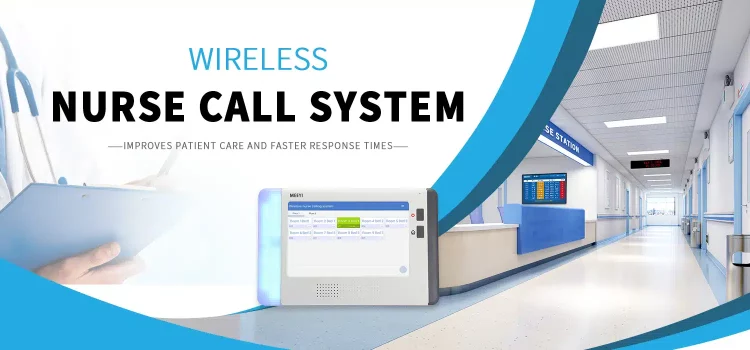
In today’s healthcare landscape, effective communication between patients and healthcare providers is paramount. A key technological advancement that has transformed this communication is the wireless nurse call system for hospitals. These systems enhance the efficiency of care delivery, improve patient safety, and elevate the overall patient experience. This article explores the top features of modern wireless nurse call systems, highlighting their importance in contemporary healthcare settings.

What is a Wireless Nurse Call System?

A wireless nurse call system is a communication network that allows patients to alert nursing staff for assistance without the need for physical wiring. Utilizing wireless technology, these systems enable immediate alerts to be sent from patient devices to staff mobile devices or centralized monitoring stations. This flexibility and mobility have made wireless systems increasingly popular in hospitals and healthcare facilities.

Key Features of Modern Wireless Nurse Call Systems

1. Real-Time Communication

One of the most significant advantages of a wireless nurse call system for hospitals is its ability to provide real-time communication. When a patient presses a call button, the alert is instantly transmitted to the nursing staff. This immediacy ensures that help can be dispatched quickly, which is especially critical in emergency situations.

Benefits:

  • Faster response times: Immediate alerts allow nurses to address patient needs without delay.
  • Improved patient outcomes: Quick responses can significantly impact patient recovery and satisfaction.

2. Mobile Integration

Modern wireless nurse call systems often integrate with mobile devices, allowing nurses to receive alerts directly on their smartphones or tablets. This feature enhances the mobility of healthcare staff, enabling them to respond to patient needs regardless of their location within the hospital.

Benefits:

  • Increased efficiency: Nurses can manage multiple patients more effectively when they receive alerts on the go.
  • Better communication: Mobile integration allows for real-time updates and coordination among staff.

3. Customizable Alerts

Wireless nurse call systems offer customizable alert settings. Hospitals can tailor the alerts to fit their specific needs, allowing for differentiation between types of requests. For example, urgent requests can trigger a distinct alert sound or visual indication, ensuring that nurses can prioritize their responses effectively.

Benefits:

  • Enhanced prioritization: Custom alerts help staff focus on the most critical patient needs first.
  • Improved workflow: By categorizing alerts, nurses can streamline their responses and manage their time better.

4. Integration with Other Technologies

Modern wireless nurse call systems can integrate with various hospital technologies, including electronic health records (EHR), patient monitoring systems, and emergency response systems. This integration provides a holistic view of patient care and enhances communication across departments.

Benefits:

  • Comprehensive care: Integrated systems allow healthcare providers to access patient data in real-time, improving care coordination.
  • Streamlined processes: Staff can switch seamlessly between different systems, reducing the time spent on administrative tasks.

5. Data Analytics and Reporting

Many wireless nurse call systems come equipped with data analytics features that track call patterns, response times, and staff performance. Hospitals can analyze this data to identify trends, improve processes, and enhance patient care quality.

Benefits:

  • Informed decision-making: Data insights can help administrators make strategic decisions about staffing and resource allocation.
  • Quality improvement: Analyzing response times and staff performance allows for targeted training and process enhancements.

6. Patient-Centric Features

Modern wireless nurse call systems prioritize patient experience by incorporating features that empower patients. For instance, some systems allow patients to use mobile apps to communicate their needs directly to nursing staff. Others may include visual indicators, such as lights or screens, that show which staff member is responding to their request.

Benefits:

  • Empowerment: Patients feel more in control of their care when they can easily communicate their needs.
  • Enhanced satisfaction: Improved communication and responsiveness lead to higher patient satisfaction scores.

7. Alarm Management

Effective alarm management is crucial in healthcare settings, where multiple alarms can lead to alarm fatigue among staff. Modern wireless nurse call systems address this issue by allowing for the prioritization and categorization of alarms. Nurses can quickly identify which alarms require immediate attention and which can be addressed later.

Benefits:

  • Reduced alarm fatigue: Prioritized alarms decrease the risk of staff becoming desensitized to alerts.
  • Improved patient safety: By managing alarms effectively, healthcare facilities can ensure critical alerts are not missed.

8. User-Friendly Interface

A user-friendly interface is essential for any technology used in healthcare. Modern wireless nurse call systems are designed with intuitive interfaces that simplify operation for both patients and staff. This ease of use encourages adoption and ensures that the system is utilized effectively.

Benefits:

  • Reduced training time: A simple, intuitive interface means less time spent on training staff.
  • Increased utilization: When systems are easy to use, both patients and staff are more likely to engage with them.

9. Intercom Features

Many modern wireless nurse call systems include intercom features that allow for verbal communication between patients and nursing staff. This capability enables nurses to assess patient needs more effectively before arriving at the bedside, saving time and resources.

Benefits:

  • Enhanced communication: Intercom features allow for clarification of patient needs, reducing unnecessary visits.
  • Improved patient satisfaction: Patients appreciate the ability to communicate directly with staff without waiting for a nurse to arrive.

10. Scalability and Flexibility

As healthcare facilities evolve, the ability to scale and adapt systems is crucial. Modern wireless nurse call systems are designed to be scalable, allowing hospitals to expand or modify their systems as needed. This flexibility ensures that the technology can grow alongside the facility.

Benefits:

  • Future-proofing: Scalable systems can accommodate changes in patient population and care delivery models.
  • Cost-effectiveness: Hospitals can invest in systems that will meet their current needs while being adaptable for the future.

Conclusion

The importance of a wireless nurse call system for hospitals cannot be overstated. These systems significantly enhance communication, improve patient safety, and elevate the overall patient experience. With features such as real-time communication, mobile integration, customizable alerts, and data analytics, modern wireless nurse call systems are indispensable tools in contemporary healthcare settings. As hospitals continue to adopt these advanced technologies, they can ensure that they are providing the highest quality of care to their patients.

In today’s fast-paced business environment, effective internal communication is crucial for fostering collaboration, enhancing productivity, and driving overall organizational success. As companies increasingly adopt remote and hybrid work models, the need for robust internal communication platforms for companies has grown signiicantly. This article explores the key factors to consider when comparing these platforms, helping organizations make informed decisions that align with their communication needs.

Understanding Internal Communication Platforms

What Are Internal Communication Platforms?

Internal communication platforms are digital tools that facilitate information exchange within an organization. They encompass a variety of features, including messaging, video conferencing, file sharing, and project management capabilities. These platforms help streamline communication, reduce misunderstandings, and create a more cohesive work environment.

Why Are They Important?

  1. Enhances Collaboration: Effective communication platforms enable teams to share ideas and resources quickly, fostering collaboration.
  2. Increases Productivity: By providing easy access to information, these platforms help employees make informed decisions faster, leading to improved efficiency.
  3. Boosts Employee Engagement: Open communication channels encourage employees to express their thoughts and contribute ideas, enhancing engagement and job satisfaction.
  4. Supports Remote Work: With an increasing number of employees working from home, reliable communication platforms are essential for maintaining connections and collaboration among team members.

Key Features to Consider

When comparing internal communication platforms for companies, several key features should be evaluated to determine which one best meets your organization’s needs:

1. User-Friendly Interface

A platform with an intuitive and user-friendly interface encourages employee adoption. The easier it is to navigate, the more likely team members will engage with the tool effectively. Look for platforms that offer customizable dashboards and straightforward navigation.

2. Multichannel Communication

The best internal communication platforms support various communication methods, including instant messaging, video calls, and email. This multichannel approach allows employees to choose the method that suits their preferences and the context of their communication.

3. Real-Time Collaboration

Real-time collaboration features, such as document editing and shared workspaces, are essential for teams working on projects together. Platforms that allow multiple users to co-edit documents or view changes in real time enhance teamwork and efficiency.

4. Integration Capabilities

Choose a platform that integrates seamlessly with other tools your organization uses, such as project management software, customer relationship management (CRM) systems, and productivity applications. Integration streamlines workflows and minimizes the need for switching between different tools.

5. Security Features

Data security is a top priority for any organization. Ensure that the internal communication platform you choose provides robust security features, including encryption, user authentication, and compliance with industry regulations. Protecting sensitive information is crucial for maintaining trust within the organization.

6. Analytics and Reporting

Effective platforms often provide analytics and reporting features that allow organizations to track engagement metrics, response times, and communication effectiveness. These insights can inform decisions and help refine communication strategies.

Comparing Popular Internal Communication Platforms

Here’s a comparison of some of the leading internal communication platforms available today:

1. Microsoft Teams

Overview: Microsoft Teams is a comprehensive communication tool that integrates with Microsoft 365 applications, offering chat, video conferencing, and file sharing capabilities.

Key Features:

  • Real-time collaboration on Office apps
  • Customizable channels for different teams or projects
  • Robust security measures, including data encryption

Pros:

  • Seamless integration with Microsoft Office
  • Extensive features for collaboration
  • Strong security and compliance options

Cons:

  • Can be overwhelming for new users due to its extensive features

2. Slack

Overview: Slack is known for its user-friendly interface and flexibility. It allows teams to create channels for specific topics, making it easy to organize discussions.

Key Features:

  • Extensive integration with third-party applications
  • Powerful search functionality for finding information quickly
  • Support for voice and video calls

Pros:

  • Highly customizable and user-friendly
  • Efficient for managing different topics and projects
  • Strong community and support resources

Cons:

  • Can become cluttered with too many channels and messages

3. Zoom

Overview: Zoom is primarily recognized for its video conferencing capabilities but also offers messaging and collaboration tools.

Key Features:

  • High-quality video and audio
  • Breakout rooms for group discussions
  • Screen sharing and recording options

Pros:

  • Excellent for virtual meetings and webinars
  • User-friendly interface
  • Strong security features

Cons:

  • Limited project management features compared to others

4. Google Workspace

Overview: Google Workspace provides a suite of productivity tools, including Google Meet for video conferencing and Google Chat for messaging.

Key Features:

  • Real-time collaboration on Google Docs, Sheets, and Slides
  • Easy integration with other Google services
  • Extensive cloud storage options with Google Drive

Pros:

  • Excellent for collaborative projects
  • Seamless integration with Google applications
  • User-friendly and accessible

Cons:

  • May require internet connectivity for optimal use

5. IPPBX

Overview: IPPBX is an all-in-one communication platform designed to streamline business communication. It combines essential modules like messaging, video conferencing, project management, and CRM functionalities into a single platform.

Key Features:

  • Appointment scheduling and project management
  • Instant messaging and audio/video conferencing
  • Built-in CRM for effective customer relationship management

Pros:

  • Reduces the need for multiple applications
  • User-friendly interface for easy adoption
  • Strong focus on customer satisfaction and productivity

Cons:

  • May require training for optimal usage

Factors to Consider When Choosing a Platform

1. Assess Your Organization’s Needs

Before selecting a platform, evaluate your organization’s specific communication needs. Consider factors such as the size of your team, the nature of your projects, and the types of communication that occur frequently. This assessment will guide you in choosing a platform that aligns with your goals.

2. Involve Your Team in the Decision-Making Process

Engaging team members in the selection process can provide valuable insights into their preferences and needs. Conduct surveys or focus groups to gather feedback on potential platforms. Involving employees increases buy-in and encourages adoption.

3. Test Platforms

Many platforms offer free trials or demos. Take advantage of these opportunities to test the platforms in real-world scenarios. Involve your team in the testing process to gather feedback on usability, features, and effectiveness.

4. Evaluate Cost vs. Value

While budget considerations are essential, focus on the value provided by each platform. Compare pricing plans and features to ensure that you’re getting the best return on your investment. Consider not only the initial costs but also potential long-term savings through increased efficiency.

5. Monitor and Adapt

After implementing a platform, continuously monitor its effectiveness. Gather feedback from employees and track engagement metrics. Be open to making adjustments based on feedback and changing communication needs.

Conclusion

Choosing the right internal communication platform is crucial for enhancing collaboration and productivity within organizations. By considering key features, comparing popular platforms, and involving team members in the decision-making process, companies can select the best internal communication platforms for their unique needs. As communication continues to evolve, investing in effective tools will be essential for driving organizational success.

In the ever-evolving landscape of healthcare, effective communication is crucial for ensuring patient satisfaction and operational efficiency. As healthcare facilities strive to provide high-quality care, the integration of reliable call center services becomes increasingly important. Medical Call Center Services not only streamline communication but also enhance patient care and improve overall operational performance. This article explores the reasons why healthcare facilities need dependable call center solutions and the benefits they provide.

Understanding Medical Call Center Services

Medical call centers are specialized facilities that handle patient communications for healthcare providers, including hospitals, clinics, and private practices. These services encompass a wide range of functions, such as appointment scheduling, patient inquiries, telehealth services, and follow-up care.

Key Functions of Medical Call Center Services

  1. Appointment Scheduling: Efficiently managing patient appointments is critical for healthcare facilities. Call centers can handle scheduling, rescheduling, and cancellations, reducing the burden on administrative staff.
  2. Patient Inquiries: Call centers provide patients with answers to their questions regarding services, procedures, insurance, and billing, ensuring they have the information they need.
  3. Telehealth Services: As telehealth becomes more prevalent, call centers facilitate virtual consultations, allowing patients to receive care from the comfort of their homes.
  4. Follow-Up Care: Follow-up calls and reminders help ensure patients keep their appointments and adhere to treatment plans, contributing to better health outcomes.
  5. Emergency Response: Call centers can manage emergency calls, triaging patients and directing them to the appropriate care, which can be crucial in time-sensitive situations.

The Importance of Reliable Call Center Services in Healthcare

1. Improved Patient Satisfaction

In healthcare, patient satisfaction is paramount. Reliable call center services enhance the patient experience by providing prompt and accurate responses to inquiries. When patients can quickly reach knowledgeable representatives, their overall satisfaction with the healthcare facility increases. This positive experience can lead to higher patient retention rates and improved word-of-mouth referrals.

2. Enhanced Operational Efficiency

Healthcare facilities often face high call volumes, especially during peak hours. A reliable call center can alleviate this pressure by managing incoming calls efficiently. This allows healthcare staff to focus on their core responsibilities—providing quality patient care—rather than being tied up with administrative tasks. By outsourcing call handling to a specialized service, healthcare providers can streamline operations and improve overall efficiency.

3. Cost-Effectiveness

Investing in Medical Call Center Services can lead to significant cost savings for healthcare facilities. Maintaining an in-house call center can be expensive due to staffing, training, and technology costs. Outsourcing call center services allows healthcare providers to pay only for the services they need, reducing overhead costs while still ensuring high levels of service quality.

4. 24/7 Availability

Healthcare needs do not adhere to a 9-to-5 schedule. Patients may require assistance outside of regular business hours, especially in emergencies. Reliable call center services operate 24/7, ensuring that patients can always reach someone when they need help. This constant availability can significantly improve patient care and satisfaction.

5. Compliance and Security

Healthcare facilities are subject to strict regulations regarding patient privacy and data security. Reliable call centers understand these regulations and implement necessary measures to protect patient information. They are trained to handle sensitive data securely, ensuring compliance with HIPAA and other relevant laws. This focus on security builds trust with patients and protects healthcare providers from potential legal issues.

6. Data Collection and Analytics

Medical call centers can provide valuable insights through data collection and analytics. By tracking call volumes, patient inquiries, and resolution times, healthcare facilities can identify trends and areas for improvement. This data-driven approach enables providers to enhance their services, optimize operations, and make informed decisions about resource allocation.

7. Multilingual Support

In diverse communities, patients may speak various languages. Reliable call center services often offer multilingual support, ensuring that language barriers do not hinder access to care. By providing assistance in multiple languages, healthcare facilities can better serve their communities and ensure that all patients receive the information and support they need.

Choosing the Right Medical Call Center Service

When selecting a medical call center service, healthcare facilities should consider several key factors:

1. Industry Experience

Choose a call center with a proven track record in the healthcare industry. Experience in dealing with medical inquiries and patient interactions is essential for providing high-quality service.

2. Technology Integration

Look for call centers that utilize advanced technology to manage calls efficiently. Integration with electronic health records (EHR) and scheduling systems can streamline operations and enhance communication.

3. Staff Training

The quality of service provided by a call center largely depends on the training of its staff. Ensure that the call center invests in comprehensive training for its representatives, focusing on medical terminology, customer service skills, and compliance with regulations.

4. Scalability

As healthcare facilities grow, their needs may change. Choose a call center that can scale its services to meet evolving demands, whether that involves handling more calls or expanding service offerings.

5. Customer Reviews and Reputation

Research the reputation of potential call center providers by reading customer reviews and testimonials. A call center with positive feedback from other healthcare facilities is more likely to deliver reliable and effective services.

Conclusion

Reliable Medical Call Center Services are essential for healthcare facilities aiming to improve patient satisfaction, enhance operational efficiency, and manage costs effectively. By outsourcing call handling to specialized providers, healthcare organizations can focus on what they do best—delivering quality patient care. With the right call center partner, healthcare facilities can ensure that patients receive timely and accurate assistance, ultimately leading to better health outcomes and a more positive healthcare experience.

In the rapidly evolving landscape of digital marketing, businesses face the challenge of choosing the right strategies to engage their audience effectively. With so many options available, understanding the nuances of modern marketing strategies is crucial for making informed decisions. This article compares various marketing strategies, highlighting their strengths and weaknesses, to help you determine which ones to implement in your organization.

Understanding Modern Marketing Strategies

Modern marketing strategies encompass a wide range of techniques and tools designed to connect brands with consumers in meaningful ways. These strategies leverage technology, data analytics, and consumer insights to create targeted campaigns that resonate with audiences. The primary goal is to enhance brand visibility, improve customer engagement, and drive conversions.

Key Elements of Effective Modern Marketing Strategies

  1. Customer-Centric Approach: Placing the customer at the center of all marketing efforts is essential. Understanding their needs, preferences, and behaviors allows businesses to tailor their messages effectively.
  2. Data-Driven Decision Making: Utilizing data analytics to assess the performance of marketing campaigns enables organizations to make informed decisions and optimize their strategies.
  3. Multi-Channel Engagement: Engaging customers across various platforms—social media, email, websites, and more—ensures a cohesive brand experience.
  4. Adaptability: The marketing landscape is continually changing. Successful strategies must be flexible enough to adapt to new trends and consumer behaviors.

Comparing Modern Marketing Strategies

Let’s take a closer look at some of the most effective modern marketing strategies, their advantages, and when to implement them.

1. Content Marketing

Overview: Content marketing involves creating valuable and relevant content to attract and engage a target audience. This includes blogs, videos, infographics, podcasts, and more.

Advantages:

  • Establishes brand authority and credibility.
  • Improves SEO and organic search rankings.
  • Nurtures leads through the customer journey.

When to Implement: Content marketing is ideal for brands looking to build long-term relationships with their audience. If your goal is to provide value and educate customers, this strategy is a strong choice.

2. Social Media Marketing

Overview: Social media marketing utilizes platforms like Facebook, Instagram, Twitter, and LinkedIn to connect with audiences, promote content, and build brand awareness.

Advantages:

  • Facilitates real-time engagement with customers.
  • Enhances brand visibility and reach.
  • Allows for targeted advertising based on user demographics and interests.

When to Implement: If your target audience actively engages on social media, this strategy is essential. It is particularly effective for brands looking to foster community and engage with consumers on a personal level.

3. Email Marketing

Overview: Email marketing involves sending targeted emails to a list of subscribers to promote products, share content, and nurture leads.

Advantages:

  • High ROI compared to other marketing channels.
  • Allows for personalized communication and segmentation.
  • Effective for nurturing leads and driving conversions.

When to Implement: Email marketing is beneficial for businesses with established customer databases. If you aim to maintain ongoing communication with customers and drive repeat business, this strategy is a must.

4. Search Engine Optimization (SEO)

Overview: SEO involves optimizing website content to rank higher in search engine results, increasing organic traffic to the site.

Advantages:

  • Improves visibility and brand credibility.
  • Drives organic traffic without the need for paid advertising.
  • Long-term benefits as rankings improve over time.

When to Implement: SEO is essential for businesses aiming to increase their online presence. If your goal is to attract new customers through organic search, investing in SEO is crucial.

5. Pay-Per-Click (PPC) Advertising

Overview: PPC advertising involves placing ads on search engines and social media platforms, paying only when users click on the ads.

Advantages:

  • Immediate visibility and traffic to your website.
  • Highly targeted advertising based on user behavior and demographics.
  • Measurable results and easy to adjust campaigns.

When to Implement: If you need to drive immediate traffic or promote a time-sensitive offer, PPC is an effective strategy. It’s also useful for testing keywords and messaging before committing to longer-term strategies.

6. Influencer Marketing

Overview: Influencer marketing leverages individuals with significant followings to promote products or services to their audience.

Advantages:

  • Access to established audiences and increased brand credibility.
  • Authentic endorsements that resonate with consumers.
  • Cost-effective compared to traditional advertising.

When to Implement: If your target audience aligns with specific influencers, this strategy can be highly effective. It’s particularly useful for brands looking to connect with younger demographics or niche markets.

7. Experiential Marketing

Overview: Experiential marketing focuses on creating memorable experiences for consumers that foster emotional connections with the brand.

Advantages:

  • Creates lasting impressions and brand loyalty.
  • Encourages social sharing and word-of-mouth marketing.
  • Differentiates your brand in a crowded market.

When to Implement: If your brand can create unique experiences, such as events or immersive installations, experiential marketing can significantly enhance engagement and loyalty.

8. Affiliate Marketing

Overview: Affiliate marketing involves partnering with individuals or companies (affiliates) who promote your products in exchange for a commission on sales generated through their efforts.

Advantages:

  • Expands reach without upfront costs.
  • Performance-based, meaning you pay only for results.
  • Leverages the credibility of affiliates.

When to Implement: If you’re looking to expand your sales channels without significant upfront investment, affiliate marketing is a viable option. It works well for e-commerce brands seeking to increase sales through partnerships.

Making the Right Choice: Factors to Consider

When deciding which modern marketing strategies to implement, consider the following factors:

1. Target Audience

Understand where your audience spends their time and how they prefer to engage with brands. Tailor your strategies to align with their preferences.

2. Business Goals

Define your overall business objectives. Whether you aim to increase brand awareness, drive sales, or nurture leads, your goals will influence which strategies to prioritize.

3. Budget and Resources

Evaluate your marketing budget and resources. Some strategies, like content marketing, may require more time and effort, while PPC advertising may need a higher financial investment.

4. Industry Trends

Stay informed about industry trends and competitor strategies. What works for one industry may not be effective for another, so adapt your approach accordingly.

5. Performance Metrics

Establish clear KPIs to measure the success of your chosen strategies. Regularly monitor performance and be willing to pivot as needed based on data-driven insights.

Conclusion

In the ever-changing world of marketing, selecting the right modern marketing strategies is crucial for achieving success. By comparing various approaches—such as content marketing, social media marketing, email marketing, SEO, PPC, influencer marketing, experiential marketing, and affiliate marketing—businesses can make informed decisions that align with their goals and target audience.

Ultimately, the most effective marketing strategies are those that are tailored to the unique needs of your business and its consumers. By understanding the strengths and weaknesses of each approach and continuously adapting to the market, you can streamline success and foster lasting connections with your audience.