Introduction:

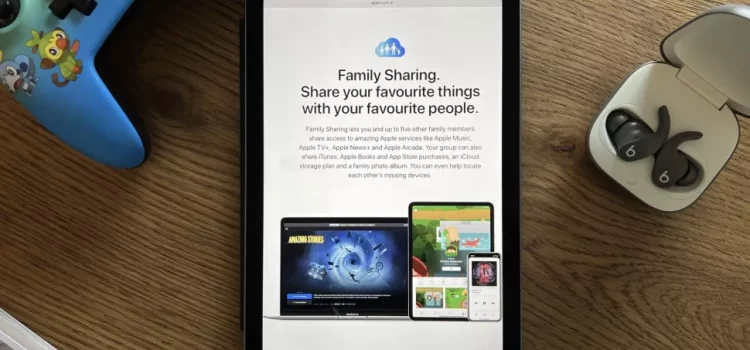
If you want to share the apps and games you’ve bought with your family, get the kids their own access to Apple Music, or just want an easy way to keep your family in the loop with shared calendars and reminders, Family Sharing is for you.

As well as making the sharing of media and information easy, Family Sharing also includes neat features like Find My integration as well as some of the best iPhone parental controls and purchase permissions — all while protecting the privacy of each individual family member.

Here’s how to do all the things with Family Sharing.

WHAT IS FAMILY SHARING? The feature set for Apple’s Family Sharing system has evolved quite a bit since it debuted in 2014, but the overall purpose of sharing purchases, subscriptions, and important information with other members of your family remains the same.

Using Family Sharing, you and five other family members can share purchases like apps, games, music, movies, TV shows, and books, as well as Apple services like iCloud+, Apple Music, Apple TV+, and more. In addition to purchases, Family Sharing makes it easy for every member of the family to share photos, reminders, calendars, as well as find each other’s devices with Find My and implement age-based parental controls.

While there’s a lot included under the banner of Family Sharing, you don’t have to use every feature. It could save you both time and money once you’ve got it set up, though.

apple
Image by: https://www.imore.com/

HOW TO SET UP FAMILY SHARING ON IPHONE AND IPAD

Before you can start sharing purchases or enjoying all of the other Family Sharing benefits, you’ll need to set up Family Sharing. Given you’re the one reading this, you’ll likely want to set yourself up as the Organizer of the family, select the default payment method, and add the other members of your household. You can also set up Apple IDs for any children under 13.

Once everyone has accepted their invites, you’ll be able to begin sharing purchases, services like those in the Apple One bundle, and other important information like calendars and reminders.

HOW TO USE FAMILY SHARING WITH CALENDARS AND REMINDERS

As well as sharing purchases so you don’t have to buy things multiple times, Family Sharing is also useful for sharing information between family members.

A family has lots to remember from day to day and Family Sharing makes it easy with a shared family calendar. Once Family Sharing is enabled, every person in the Family Sharing group instantly has access to the automatically-generated Family calendar. And since it works just like any other calendar, there’s nothing to set up or learn. You can just start using it!

Much like the shared Family calendar, Family Sharing also automatically sets up a Reminders list that everyone in the group can view and contribute to. That means if you want someone to remember to pick up milk before heading home, you can add it and it appears on everyone’s devices. Again, there’s no setup required so as soon as everyone’s a member of the Family Sharing group, shared family Reminders should just work.

HOW TO SHARE PHOTOS WITH FAMILY SHARING AND ICLOUD

In addition to all the other great perks available as part of Apple’s Family Sharing service, users get a special iCloud Photo Sharing feature that provides their family with a secure Family album where they can add images and video. Each family member still has their own separate iCloud Photo Library, but the Family album allows them a space to store and share communal photos, images, and video.

Here’s how to use iCloud Photo Sharing with Family Sharing to access the Family album on your iPhone, iPad, or Mac.

HOW TO USE FAMILY SHARING WITH FIND

MY All of these Family Sharing features are great, but not so useful if you lose your Apple device. With Find My and Family Sharing enabled, though, you can at least have a better chance of tracking down a lost device since anyone in the family can view its location in the Find My app. So, next time mom can’t find her iPad or dad leaves his iPhone at Starbucks, other family members can help find it!

location
Image by: https://www.imore.com/

HOW TO SET PARENTAL CONTROLS FOR FAMILY SHARING

Being family-focused, Family Sharing of course has a bunch of features aimed at families with kids. One great aspect of Family Sharing is that designated parents can create Apple IDs for kids under 13 in their family. With that Apple ID, a child can use their own account on their own device, make their own purchasing decisions, and more. However, integrated parental control features mean that parents can still set appropriate limits.

If you want to see and approve what the kids in your family download, you can set up a feature called Ask to Buy that prompts an adult in the group to approve or deny the purchase. By default, the family organizer will be labeled as the default parent for Ask to Buy but, if you’d like, you can add other parents and guardians as well.

With Screen Time, you’re also able to can keep tabs on how much time your young ones are spending using apps, visiting websites, and being on their devices overall. You can set limits for particular apps, set a particular time as downtime, restrict mature content, and more with this feature.

Other features like Apple Cash and Apple Watch Family Setup are also available for children to use and parents to manage.

Sharing is caring Whether you need to implement some parental controls for your youngster’s iPad or you just want an easy way to share app and media purchases with your partner, Family Sharing offers you the tools across your Apple devices. Given it can save you actual money, it’s well worth taking the time to set up Family Sharing.

Introduction:

As web developers, ensuring that our web content works flawlessly across different browsers and platforms is paramount. Apple regularly releases beta versions of its web browsers as part of its software development process. These beta versions allow developers to test their web content against upcoming browser updates and identify any issues or incompatibilities early on. In this article, we will explore the importance of testing and debugging web content in Apple beta software browsers and share best practices to ensure a smooth user experience for all Apple users.

The Significance of Testing in Beta Software Browsers:

  • Early Detection of Issues: Beta software browsers may introduce changes to the rendering engine, JavaScript interpreter, or CSS handling. By testing our web content in these beta browsers, we can quickly identify any compatibility issues and address them before the official release.
  • Stay Ahead of Updates: Apple regularly updates its web browsers to improve performance and security. By testing in beta versions, developers can be prepared for the changes and ensure that their websites or web applications remain functional and visually appealing.
  • Influence Browser Development: Providing feedback on beta versions gives developers an opportunity to influence browser development. By reporting bugs and suggesting improvements, we can contribute to making Apple browsers more robust and developer-friendly.

Best Practices for Testing and Debugging:

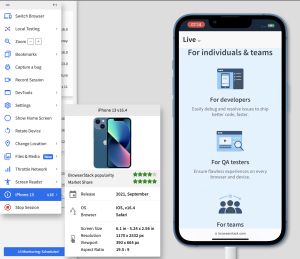
  • Test on Real Devices: While emulators and simulators can be helpful, testing on real Apple devices is essential to ensure accurate results. Use a variety of devices with different screen sizes and resolutions to verify responsive design.
  • Use Developer Tools: Apple’s Safari browser comes with powerful built-in developer tools. Use the Web Inspector to inspect and debug HTML, CSS, and JavaScript code, view network activity, and test different device orientations.
  • Validate HTML and CSS: Validate your web content using W3C’s Markup Validation Service and CSS Validation Service. Ensuring well-formed HTML and valid CSS can prevent rendering issues in beta browsers.
  • Test Web Forms: If your website includes forms, thoroughly test their functionality, including validation and submission, to ensure a smooth user experience.
  • Check JavaScript Compatibility: Test your JavaScript code in beta browsers to ensure compatibility. Be aware of any deprecated features or changes in behavior introduced in the beta version.
  • Monitor Network Requests: Use the Network tab in the developer tools to monitor network requests and ensure that all resources are loading correctly.
  • Address Performance Issues: Beta browsers may introduce changes that impact performance. Optimize your web content to ensure fast load times and smooth interactions.
  • Test Third-Party Libraries: If your website relies on third-party libraries or frameworks, verify their compatibility with the beta browsers and update to the latest versions if needed.
  • Test Security Features: Ensure that any security features, such as Content Security Policy (CSP) or HTTPS, are correctly implemented and do not cause issues in beta versions.
  • Gather User Feedback: Encourage users to provide feedback when accessing your website or web application through beta browsers. Their insights can help identify additional issues and improve the overall user experience.

    apple
    Image by: https://www.browserstack.com/

Cautionary Notes:

  • Use Beta Software with Caution: Beta software browsers are not intended for production use and may contain bugs or instability. Avoid using beta browsers for critical tasks or sensitive information.
  • Keep Stable Browsers as a Reference: While testing in beta browsers, always refer back to stable versions of Apple browsers to ensure that your web content remains compatible with the current user base.
  • Regularly Check for Updates: Apple frequently releases new beta versions during the development cycle. Stay up to date with the latest beta releases to test your web content against the most recent changes.

Conclusion:

Testing and debugging web content in Apple beta software browsers is a crucial step in the web development process. By identifying and addressing compatibility issues early on, developers can ensure a seamless user experience for Apple users when the official browser updates are released. By following best practices, utilizing developer tools, and gathering user feedback, we can contribute to making Apple browsers more efficient, secure, and user-friendly for everyone. Remember to use beta software with caution and prioritize testing in stable browsers to maintain compatibility with the broader user base.

Introduction:

If you’re an avid Apple enthusiast, you’ve probably wondered what it’s like to take an early peek at new versions of Apple’s operating systems before they are officially released. Moreover, if you enjoy being on the cutting edge of technology and want to help shape future software updates, Apple’s beta program might be just what you’re looking for. This initiative allows both developers and public beta testers to gain early access to upcoming operating system updates, providing them with the opportunity to test for bugs and give new features a thorough workout before they are made available to the general public.

Recently, Apple unveiled the details of the next round of operating system updates at its worldwide developers conference (WWDC), which commenced with an exciting keynote on June 5. Following the keynote, the first developer betas of iOS 17, iPadOS 17, watchOS 17, and macOS 14 Sonoma were released. Naturally, Apple fans are eagerly interested in getting their hands on these beta versions to experience the new software firsthand.

What is the Apple Beta Program?

The Apple beta program is a chance for volunteers to download beta versions of upcoming operating systems for their Apple devices and test them out. The program is entirely free and offers beta versions for the following software:

  1. iOS
  2. iPadOS
  3. macOS
  4. tvOS
  5. watchOS
  6. HomePod software

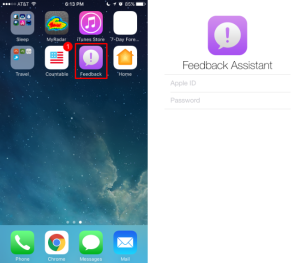
Participants install the pre-release software and use it as they would their normal operating system. They are encouraged to provide feedback to Apple through the built-in Feedback Assistant regarding any crashes or behavioral anomalies they encounter while testing their apps or using the software regularly.

Two Flavors of Beta: Developer and Public

The Apple beta program comes in two flavors: Developer Beta and Public Beta.

  • Developer Beta: Geared toward developers who need to ensure their apps work seamlessly with the new operating system. The developer beta is released after the WWDC keynote, giving developers an early chance to optimize their apps for the upcoming software.
apple
Image by: https://www.macworld.com/
  • Public Beta: Slightly behind the developer beta, the public beta is more stable and aims to iron out some of the initial issues. There is usually a short wait between the release of the developer beta and the arrival of the public beta.

How to Get Involved: Joining the Beta Program

Getting involved in testing beta versions of Apple’s operating systems is relatively straightforward. Here’s how you can join the beta program:

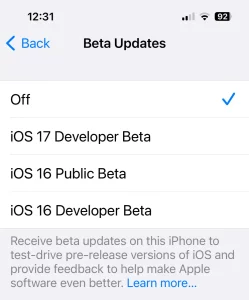
  1. Developer Beta: To access the developer beta, you need to sign up as an Apple developer. Previously, developers were required to pay a $99/£79 annual subscription fee, but now a free developer account allows access to the developer beta. Download the Apple Developer app from the iOS App Store, sign in using your Apple ID, and enable Beta Updates in Settings to get started.
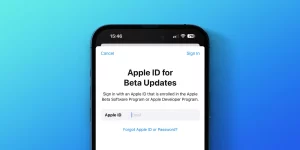
  2. Public Beta: If you’re not a developer but still want to try out the beta versions, you can join the public beta program. It is free and open to anyone with a valid Apple ID. Go to the Apple Beta Software Program page, sign up, and enroll your device to receive the public beta updates.

Is It Safe to Install the Beta?

Installing beta software comes with inherent risks, as beta versions are not fully finished products and can be unstable. Before installing any beta software, it is crucial to back up your devices to safeguard your data. Additionally, running beta versions on your primary devices may not be advisable, as bugs and issues could disrupt their functionality.

Conclusion: A Window into Apple’s Future

The Apple beta program offers an exciting opportunity for users to get an early look at upcoming operating systems and actively contribute to their development. Beta testers can provide valuable feedback to Apple, helping the company improve the software before its official release. However, potential risks associated with beta versions, such as instability and data loss, should be carefully considered. By participating in the Apple beta program, users become an integral part of shaping Apple’s future software, gaining a unique perspective on what lies ahead for Apple’s ecosystem.

The Haunting Tale of ‘Blight’

‘Blight’ presents a captivating narrative. A fungal-based pandemic grips readers with its chilling portrayal of a world besieged. By a mysterious fungal pathogen, the novel immerses readers in a thrilling and unsettling world. The novel’s imaginative storyline prompts us to consider the subtle distinction between imagination and factuality.

Fungal outbreaks mirrored in everyday life.

Blight, an imaginary creation, portrays a fungus-borne pandemic that eerily mirrors genuine fungal outbreaks. These have caused widespread destruction among crops, wildlife, and human population. This inquiry prompts us to evaluate the potential hazards and repercussions of these occurrences.

fungus
Photo by Michelle Leman: https://www.pexels.com/photo/woman-in-flower-mask-with-spread-arms-6774328/

Unraveling the Science Behind ‘Blight’

The scientific side of ‘Blight’ grants an intriguing peek into the domain of fungal illnesses. Immersing ourselves in the story exposes the subtleties. Of fungal pathogens and the obstacles confronted in combating their effects.

The Threat of Fungal Pathogens

The fictional novel ‘Blight’ highlights the ominous threat of fungal diseases to unleash widespread destruction. The creative depiction serves as a lesson, urging us to be proactive in mitigating, preventing, and reacting to fungal occurrences.

Aware and Ready: Unlocking Potential

The hypothetical situation of ‘Blight’ underscores the significance of vigilance and proactive measures towards unforeseen infectious illnesses. Knowledge of the dangers linked with fungal outbreaks can enable us to take proactive steps.

Imagination spurs actual change through fictional narratives.

Imaginative literature like ‘Blight’ can motivate genuine efforts towards progress. The fictional tale can provoke thoughtful dialogue, encouraging engagement. Raising awareness about the possible hazards of fungal infections, it can inspire individuals to pursue scientific inquiry and public health measures.

Reflection of Nature’s Complexity

The term ‘Blight’ highlights the intricate relationship between nature’s elements, where infectious agents, ecological systems, and human connections entwine. This inquiry motivates us to ponder the intricate equilibrium of nature and its potential aftereffects of alteration.

fungus
Photo by Alena Shekhovtcova: https://www.pexels.com/photo/sculpture-of-apollo-with-medical-mask-in-violet-light-6075004/

Beyond Fiction: Embracing Preparedness

With ‘Blight’ as our guide, we embark on an exhilarating adventure…urging us to welcome preparation. When confronted with potential health emergencies, it is essential to be fully equipped. By studying fictional scenarios, we can develop strategies to tackle actual challenges.
The novel ‘Blight’ tackles a chilling and intellectually stimulating scenario of a fungus-based pandemic, prompting questions about the interplay between fictitious narratives and actual repercussions. Deeply involvement in this intriguing tale sparks a renewed appreciation for the relevance of scientific acumen. Proactive steps are indispensable to shield against unforeseen hazards derived from nature.

Venturing into the Unknown

A pioneer in marine exploration, OceanGate is poised to make history with its latest expedition. With the founder’s groundbreaking vision as their guide, the mission seeks to penetrate the veil of mystery surrounding Venus.


venus
Photo by Tirachard Kumtanom: https://www.pexels.com/photo/silhouette-of-three-people-450062/

Where Oceans Meet the Skies

OceanGate adopts an innovative strategy by comparing the difficulties of maritime investigation with those confronting deep space mission. This innovative fusion of expertise aims to propel humans into the uncharted territory of space. Forging a path to Venus like never before, we venture into the unknown.

Looking beyond the Halo of Venus

For generations, the dense and unforgiving atmosphere of Venus has fascinated experts. OceanGate’s visionary mission aspires to shed light. On the secrets concealed within the planet’s shrouded veil, offering humanity unprecedented insights into this captivating celestial body.

The Collaborative Frontiers

OceanGate’s ambitious plan for Venus embraces an inclusive approach that brings together top thinkers from the space exploration sphere. A unique partnership among professionals from varied disciplines and space entities is being forged through this mission.

venus
Photo by Yaroslav Shuraev: https://www.pexels.com/photo/back-view-of-a-person-looking-at-the-beautiful-scenery-of-mountains-8969049/

Pioneering Technological Advancements

Central to the Venus endeavor is an unwavering dedication to advancing technological innovation. OceanGate’s team consists of experts who are revolutionizing the field through breakthrough innovations like cutting-edge propulsion systems and highly durable spacecraft design.

A Transformative Journey

The Venus expedition planned by OceanGate hopes to be transformative not just for scientists but for all of humanity. The initiative strives to kindle a shared interest in the universe. Through cultivating a revived enthusiasm for space travel, we hope to motivate upcoming generations to envision ambitious possibilities.

Preparing the Explorers

Key to OceanGate’s Venus venture is the choosing and preparation of the personnel. These fearless adventurers will undertake thorough training. Guaranteeing their success on this remarkable journey requires that they are well-prepared.

venus
Photo by Keith Lobo: https://www.pexels.com/photo/anonymous-person-kicking-sun-under-sunset-sky-2403659/

The Unveiling of Venus

As the vision takes shape, OceanGate’s journey to Venus holds the key. To unlocking the planet’s forgotten history, interpreting its atmospheric dynamics, and spotting indicators of life. The study could fundamentally alter our comprehension of Venus and the larger universe.
The achievement of Venus is a testament to the tireless drive and inventive prowess of OceanGate and its employees. The remarkable saga of this pioneering mission welcomes us to partake in an extraordinary expedition to uncover the enigmatic secrets of the planet.

Motivation can dip when the weather is sweltering. Sweaty and uncomfortable workouts in hot weather may hinder one’s adherence to their fitness regimen. Some intelligent methods can make summer workouts more endurable. Here are ten tips to help you stay cool and comfortable during hot weather workouts:

Time It Right:

Optimize your fitness routine by timing your workouts when it’s less hot. Steer clear of working out during peak sun hours, which typically span from 10 a.m. to 4 p.m.

 Dress Light:

Pick breathable fabrics for maximum comfort during workouts. Wearing loosely fitted apparel in light tones shields your skin from the sun’s radiation and enhances airflow during exercise.

 Protect Yourself:

Don’t forget the sunscreen! At least SPF 30 sunscreen should be used when venturing outdoors, resistant to perspiration. Sporting a broad-rimmed hat and shades can help deflect the sun’s potent rays.

workout
Photo by mali maeder: https://www.pexels.com/photo/woman-doing-yuga-on-seashore-68468/


Stay Hydrated:

Water intake is crucial for optimal performance during exercise. Remaining hydrated can help prevent heat exhaustion and other related illnesses.

Find Shade:

Pick workout destinations with adequate natural shade, such as parks with trees or covered outdoor areas. Lessening direct sun contact helps you avoid harmful rays.

Cool Down Pre-Workout:

Employing an ice pack or chilled towel before exercising can make it easier to cool down afterward. Pulse point cooling with ice can result in a lowered body temp.

Listen to Your Body:

Attend to your body’s indicators. If you start to feel unwell, find a shaded spot to rest until you recover.

workout
Photo by Andrea Piacquadio: https://www.pexels.com/photo/young-determined-man-training-alone-on-street-sports-ground-in-sunny-day-3768901/

Mix Up Your Routine:

Incorporate aquatic exercises into your fitness regimen. Sweat won’t be an issue during hot days with these cooling exercises – swimming and water aerobics.

Eat Light:

Eating a heavy meal before training can cause issues with heat tolerance. Follow a balanced diet comprising gentle, effortlessly digestible dishes and replenishing fruits like watermelon and cucumbers.,

Stay Indoors:

Unbearable heat may require you to shift your workout indoors. Escape the scorching temperatures by indulging in indoor exercises like yoga, strength training, or indoor cycling in comfortably cool surroundings.

The suggestions permit safe and productive training sessions in warm conditions. Cognizance of your body’s requirements ensures consistent exercise routine in hot climates. Stay motivated and power through the heat – you got this!

Breakage and shattering are common issues that even experienced users face with makeup., A tragic sight ensues when our beloved eyeshadow compact or blush crumbles apart. Don’t throw away your broken makeup just yet – discover DIY methods to fix them., Learn how to salvage broken makeup items like a seasoned pro.,

Powder Makeup Items (Blush, Eye Shadow, and Foundation)

Powder products are delicate and prone to shattering, but you can easily mend them with this simple technique:

blush
Photo by cottonbro studio: https://www.pexels.com/photo/a-pink-eye-shadow-beside-a-make-up-brush-6555227/

What you’ll need:

At least 70% isopropyl alcohol concentration is required.
A clean spoolie or toothpick
Tissue or paper towel
A small container

Instructions
a. Constellate all the shattered pieces of the powder thing in a teensy container.
b. Employ a spoolie or toothpick’s back to reduce the bigger parts into a fine powder.
c. Adding isopropyl alcohol to the powder results in a paste-like mixture that can be applied., Alcohol should be added with restraint to maintain product quality.
d. Level the mixture by carefully pouring it back into the original container using the spoolie or a flat surface.
e. Tissue or a paper towel can be used to cover the container and alcohol absorbed by pressing down.,
f. Letting the product air dry for an entire night will result in its preparation for usage by tomorrow., Now your beloved powder product is like new again.,

Cracked Lipsticks

A cracked lipstick can be rescued with some gentle heat and careful handling:

lipstick
Image by: https://www.self.com/

What you’ll need:

A lighter or a candle
A clean knife or spatula
A clean toothpick

Instructions:
a. The twisted lipstick will display its broken sides.
b. Melt the lipstick’s edges slightly using a lighter or candle flame for a few seconds.
c. Re-shape the melted area using a squeegee
d. A clean toothpick can help to even out the surface.
e. Refrigerating the lipstick for approximately 15 minutes can help set the repair.
f. Your lip color is prepared to embellish your mouth anew!

Smudged Eyeliners and Mascara Wands

A smudged eyeliner pencil or mascara wand can be fixed quickly with a little heat:

What you’ll need:

A lighter or a candle
A pristine tissue or cotton wand

Instructions:
a. Hold the hot tool briefly over the pencil or wand to soften it.,
b. Gentle removal of any extra or misplaced product is possible with a clean tissue or cotton swab.
c. Let the item cool before further use.
d. Using a sharp clean sharpener can help attain a sharp tip for an eyeliner pencil.

Bonus Tips:

Alcohol application upon purchase helps maintain powder products’ integrity and avoid future breakage. Enhanced durability renders these materials less susceptible to damage.,
Proper storage can help extend the lifespan of your beauty products.
Learning these expert techniques can help you revive damaged makeup and avoid cosmetic blunders. Besides saving money on replacements, you’ll feel like a pro at makeup application. Don’t let makeup disasters get the best of you – fix them with finesse! Building a robust beauty stash will bring numerous benefits.

Introduction:

Experiencing beta software provides preliminary exposure to impending innovations. When beta testing and employing iCloud services, certain elements deserve attention. Smooth data synchronization and management are necessary to safeguard important data. Discover the secrets to utilizing beta versions and maintaining your iCloud files efficiently.

Understanding the Impact of Beta Software on iCloud Services:

Software undergoing testing may encounter conflicts with iCloud services due to its incomplete development status. The inconsistency could affect how your data is coordinated across your Apple gadgets. Awareness of potential problems enables swift issue resolution.

icloud
Image by: https://www.macstories.net/

Backing Up Your Data Before Beta Testing:

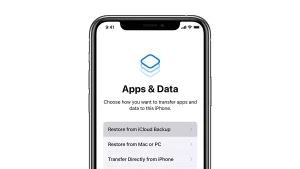
Beta testing demands prioritizing iCloud data backups. A safety net is created by implementing a backup plan for data restoration during the beta phase. Preserving important files through Time Machine or iCloud Backup is a shrewd move.

Enabling iCloud Sync for Beta Apps:

Not all beta apps come equipped with iCloud synchronization features., Verify that iCloud sync is enabled for each beta app to avoid inconvenience. Smooth navigation across multiple devices is guaranteed with this approach.

data
Image by: https://9to5mac.com/

Avoiding Sensitive Data in Beta Apps:

Beta testing demands that sensitive or critical data not be saved using beta applications. Beta versions may possess inherent security risks and therefore require extra precautions. Reliable knowledge needs to be protected in reliable, verified applications till the beta testing ends to lessen hazards.

Providing Feedback to Apple:

Apple encourages beta testers to submit any iCloud issues they encounter for assistance through the Feedback Assistant app. Giving constructive input can foster iCloud’s growth and aid in solving synchronization difficulties.

feedback
Image by: https://www.iphonefaq.org/

Regularly Updating Beta Software:

Apple regularly issues updates for beta software, featuring bug repairs and efficiency boosts. Keep your equipment current by installing the most recent beta versions to reduce compatibility problems and improve synchronization with Apple services.

update
Image by: https://9to5mac.com/

Conclusion:

Testing beta versions can prove gratifying, yet handling iCloud services and data oversight is imperative during this stage. Beta app testing necessitates careful information management through data backing up, iCloud sync, and sensitive data avoidance. Feedback and regular updates on beta software help refine iCloud services’ operations. Adopting these guidelines can help maximize beta testing effectiveness while protecting sensitive information.

Introduction

Early access to untested app functionalities is provided by beta software. Beta trials offer an opportunity for thrilling experiences but also raise red flags regarding personal information protection. Beta participants must understand how developer gathers and utilizes information. Don’t overlook privacy during beta testing. Our article guides you through the essentials.

1. Data Collection and Consent

Beta testing yields diverse data for issue identification and solution implementation. Data may range from device specs, crash reports, app usage metrics, and user input. Reviewing these documents can aid in appreciating the app’s data handling methods. Beta testing involves accepting the data collection methods outlined by the developer.

data
Image by: https://www.biztalk360.com/

2. Anonymization and Aggregation

Privacy protection requires anonymizing and combining data when feasible. Personally identifiable information removal in data collection maintains user anonymity. Grouping user data allows for anonymous analysis.

data
Image by: https://www.comparitech.com/

3. Limited Testing Environment

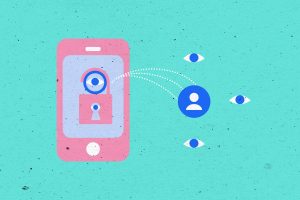
Tightening the safety of confidential information during the evaluation of beta software is pivotal. Software developers must preclude the beta iteration from accessing sensitive user information, including financial data or personal files.

beta
Image by: https://qa.world/

4. Data Retention Policies

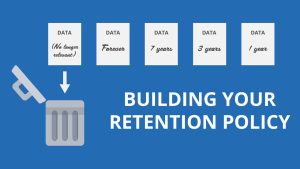
Beta testers must be privy to developer data storage guidelines. The app’s testing-phase data can only be retained as required for issue correction and improvement. When the testing phase concludes, eliminate any unnecessary data securely.

retention
Image by: https://nxejt.earthshaper.top/

5. Opting Out of Data Collection

Beta testers must have the choice to desist from providing data if they wish to do so. Software creators must prioritize user preferences and design apps that continue operating without data accumulation.

6. Security Measures

Software developers should incorporate robust security protocols to safeguard gathered information from unlawful entry or violations. Transmitted and stored data is encrypted for maximum protection, and secure authentication protocols are utilized.

beta
Image by: https://www.shakebugs.com/

7. Communication Channels

Direct interaction between developers and testers helps maintain confidentiality. A straightforward method for users to report privacy concerns and query data usage is indispensable.

8. Data Sharing with Third Parties

Third-party service or partner collaboration requires user notification. Beta testing transparency regarding data sharing guarantees user awareness of data utilization.

data
Image by: https://getterms.io/

Conclusion

For those eager to collaborate on app development, beta testing offers a chance to experience the satisfaction of influencing the final product. Vigilance regarding privacy protection is necessary during the testing process. ,by familiarizing themselves with data accumulation techniques, granting informed authorization, and continuously learning about protection strategies, users may savor a relaxed and secure beta testing experience., Throughout the testing phase, developers must prioritize user data protection by implementing robust measures.

Introduction

In the realm of evolving mobile apps, developers are required to craft and uphold stable and free-of-bugs applications for users’ demands. Using TestFlight, developers can now test their apps among a pick group of users before releasing them publicly. Beta-testers get a chance to examine new app components before their launch and provide helpful input on their ultimate version.Comprehensive guide to finding invitation codes and navigating through secure testing experience.

What is TestFlight?

App updates can be beta-tested through TestFlight – Apple’s platform. Allows developers to share early iOS, iPadOS, macOS, tvOS, watchOS, and iMessage apps with limited testers. Any Apple ID registered device owner can join the beta testing program, which allows developers to check the app on their devices before release. 90 days are offered post-upload for app activity testing and user feedback collection.

testflight
Image by: https://www.makeuseof.com/

Unlike the App Store, beta testers on TestFlight do not receive compensation, including free premium apps, after the official launch. Nonetheless, taking part in beta testing grants users the chance to experience innovative apps within their areas of interest.

For Testing an App on TestFlight, Follow These Steps.

For smooth TestFlight setup, begin with app testing and move onto the deployment process afterwards. Following the installation of the TestFlight application from the App Store, the user must either be provided with an invitation code or a public link to access beta apps. Installation of the beta app is restricted by an invitation link or code. Here’s a step-by-step guide:

1.To access the TestFlight app on your iPhone and sign in with your Apple ID, please proceed with these instructions.

2.You may be eligible to use an exclusive code. Enter it now and we’ll verify if you’re eligible. Once confirmed, the offer will be applied immediately. For public links, tap on the invitation, wait for the setup page to load, and then tap “Start Testing.”

3.The app will soon download and install. Please be sure to peruse the developer’s message and confirm the Terms of Service before utilizing the beta application.

4.With multiple devices, you can test the app for convenience.

software
Image by: https://www.makeuseof.com/
software
Image by: https://www.makeuseof.com/
apple
Image by: https://www.makeuseof.com/
software
Image by: https://www.makeuseof.com/

Please find TestFlight code invitations

TestFlight mainly functions on an invitation-only basis, requiring active invitation codes or public links from developers to access their beta applications. To find such codes or links, explore these sources:

software
Image by: https://www.makeuseof.com/

GitHub:

Many repositories house multiple public links and beta application invitations for TestFlight.

Reddit:

Subreddits like r/iOSBeta or r/devopsish sometimes contain threads where public beta testers and developers share links.

Twitter:

@TestFlightX shares TestFlight links for mobile games and private messaging apps.

Facebook:

Beta testing frequently includes independent developers sharing invitation codes for testers.

Is TestFlight Safe? 6 Tips Before Testing Apps

While TestFlight is typically safe, exercising caution is essential when testing beta apps, as they have not been rigorously reviewed by the App Store yet. Here are six tips for a secure testing experience:

Review the Developer’s History:

Evaluate developers’ qualifications and past ventures to establish their reliability.

Look for User Reviews:

Peruse the respective platforms, and discover firsthand accounts from other beta testers.

software
Image by: https://www.makeuseof.com/

Avoid Shady Sources:

Be cautious when engaging with public links, ensuring they lead to the official TestFlight app.

Monitor App Permissions:

Enforce data access restrictions and introduce transparency to your iPhone app.

apple
Image by: https://www.makeuseof.com/

Don’t Spend Real Money:

Opt for free-to-play apps as they generally contain fewer ads and more content.

Check for Malware:

Make regular device security checks to discover any potential malware.

Conclusion

TestFlight lets iOS users take part in testing and providing feedback on innovative apps. To gain a smooth and satisfying experience on TestFlight, keep in mind the instructions for beta-testing. Thus, browse your preferred applications, offer helpful feedback, and play a vital role in the app growth process!