



Unified Messaging: Apple iPhones Unlock RCS Compatibility with Android
Introduction: Meet the Author
Hello, I’m Fred Wilson, a mobile technology enthusiast and a communication expert. I have been following the developments of RCS (Rich Communication Services) for a long time and I’m excited to share with you the latest news and insights on this topic. In this article, I will explain what RCS is, why it matters, and how Apple’s decision to support RCS on iPhones will improve messaging with Android users. I will also show you what features you can expect from RCS and how to enable it on your device. Whether you are an iPhone or an Android fan, you will find this article useful and informative.
What is RCS and Why Does It Matter?
RCS is a modern messaging protocol that aims to replace the outdated SMS (Short Message Service) and MMS (Multimedia Messaging Service) standards. SMS and MMS have been around since the 1990s and they have many limitations, such as low character limit, poor image quality, lack of group chat, read receipts, and typing indicators. They also rely on a cellular connection and a signal, which can be unreliable and expensive.
RCS, on the other hand, offers a much richer and more interactive messaging experience, similar to popular apps like WhatsApp, Telegram, or Facebook Messenger. RCS allows you to send and receive unlimited text, high-quality images, videos, audio, stickers, GIFs, and more. You can also enjoy group chat, read receipts, typing indicators, and in-line reactions. RCS works over Wi-Fi or mobile data, which means you can stay connected even when you have no signal or when you are traveling abroad.
RCS is not a new app, but a standard that is supported by the mobile industry and the GSM Association (the same organization that runs Mobile World Congress every year). This means that RCS works across different devices, carriers, and platforms, as long as they support the RCS Universal Profile, which is the current version of the standard. RCS is also designed to be secure and private, with optional end-to-end encryption and verification features.
RCS matters because it makes messaging more convenient, enjoyable, and engaging for everyone. It also bridges the gap between iPhone and Android users, who have been using different messaging apps and services for years. With RCS, you can communicate with anyone, regardless of what device or app they use, as long as they have RCS enabled.

How Apple’s Support for RCS Will Change the Messaging Landscape
Apple has been one of the few major players that has not adopted RCS, until now. In November 2023, Apple announced that it will support RCS on iPhones with an update in 2024. This is a huge step for the messaging industry and a win for consumers, as it will make messaging more seamless and interoperable between iPhone and Android users.
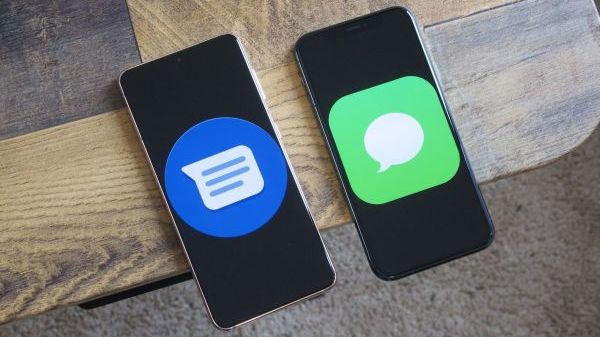
Apple’s support for RCS will not replace iMessage, which is Apple’s own messaging service that works exclusively on Apple devices. iMessage will continue to be the default and preferred messaging app for iPhone users, as it offers many features and benefits that RCS does not, such as encryption, integration with other Apple services, and exclusive effects and animations. However, Apple’s support for RCS will work alongside iMessage, which means that iPhone users will be able to send and receive RCS messages with Android users, without having to download a separate app or switch to SMS.
Apple’s support for RCS will also encourage more carriers and device manufacturers to adopt RCS, as it will increase the demand and usage of the standard. According to Google, which has been spearheading the RCS rollout, more than 600 million people in over 60 countries have access to RCS as of November 2023. With Apple joining the RCS bandwagon, this number is expected to grow significantly in the coming years.
What Features Can You Expect from RCS on iPhones and Androids?
RCS offers many features that make messaging more fun and functional. Here are some of the features that you can expect from RCS on iPhones and Androids:
- Unlimited Text: You can send and receive as many text messages as you want, without worrying about character limit or extra charges.
- High-Quality Media: You can send and receive high-resolution images, videos, audio, stickers, GIFs, and more, without compromising on quality or size.
- Group Chat: You can create and join group chats with up to 100 participants, and manage the group settings, such as name, icon, and members.
- Read Receipts: You can see when your messages have been delivered and read by the recipient, and vice versa.
- Typing Indicators: You can see when the other person is typing a message, and vice versa.
- In-Line Reactions: You can react to individual messages with emojis, and see how others have reacted, similar to social media platforms.
- Suggested Replies: You can use smart suggestions to quickly reply to messages, based on the context and content of the conversation.
- Verified Businesses: You can chat with verified businesses and brands, and access their services, such as booking appointments, making payments, or getting customer support.
- Location Sharing: You can share your real-time or static location with your contacts, and see their location on a map.
- Wi-Fi or Mobile Data: You can use RCS over Wi-Fi or mobile data, which means you can stay connected even when you have no signal or when you are traveling abroad.
The table below summarizes the key differences between SMS/MMS, RCS, and iMessage:
| Feature | SMS/MMS | RCS | iMessage |
|---|---|---|---|
| Character Limit | 160 | Unlimited | Unlimited |
| Image Quality | Low | High | High |
| Group Chat | No | Yes | Yes |
| Read Receipts | No | Yes | Yes |
| Typing Indicators | No | Yes | Yes |
| Encryption | No | Optional | Yes |
How to Enable RCS on Your iPhone or Android Device
To enable RCS on your iPhone or Android device, you need to have a compatible device, carrier, and app. Here are the steps to enable RCS on your device:
- iPhone: You need to have an iPhone that supports iOS 16 or later, which is expected to be released in 2024. You also need to have a carrier that supports RCS, such as AT&T, T-Mobile, or Verizon in the US. You don’t need to download a separate app, as RCS will work with the built-in Messages app. To enable RCS, go to Settings > Messages > Chat Features and toggle on Enable Chat Features. You will see a confirmation message that says “Chat Features are Ready”. You can also customize your chat settings, such as read receipts, typing indicators, and verification status.
- Android: You need to have an Android device that supports Android 6.0 or later. You also need to have a carrier that supports RCS, such as AT&T, T-Mobile, or Verizon in the US. You need to download the Google Messages app from the Google Play Store, or use the Samsung Messages app if you have a Samsung device. To enable RCS, open the Messages app and tap on the three-dot menu icon at the top right corner. Then, tap on Settings > Chat Features and toggle on Enable Chat Features. You will see a confirmation message that says “Status: Connected”. You can also customize your chat settings, such as read receipts, typing indicators, and verification status.
Once you have enabled RCS on your device, you can start sending and receiving RCS messages with your contacts who also have RCS enabled. You will see a chat icon next to the contact’s name, indicating that you are using RCS. You will also see a “Chat message” or “Text message” label at the bottom of the message box, indicating the type of message you are sending. If the recipient does not have RCS enabled, you will see a “SMS” or “MMS” label instead, and the message will be sent as a regular text message.
Conclusion: The Future of Messaging is Here
RCS is the future of messaging, as it offers a richer and more interactive messaging experience, similar to popular apps like WhatsApp, Telegram, or Facebook Messenger. RCS allows you to send and receive unlimited text, high-quality images, videos, audio, stickers, GIFs, and more. You can also enjoy group chat, read receipts, typing indicators, and in-line reactions. RCS works over Wi-Fi or mobile data, which means you can stay connected even when you have no signal or when you are traveling abroad.
RCS also bridges the gap between iPhone and Android users, who have been using different messaging apps and services for years. With RCS, you can communicate with anyone, regardless of what device or app they use, as long as they have RCS enabled. Apple’s support for RCS on iPhones will make messaging more seamless and interoperable between iPhone and Android users, without having to download a separate app or switch to SMS.
RCS is not a new app, but a standard that is supported by the mobile industry and the GSM Association. This means that RCS works across different devices, carriers, and platforms, as long as they support the RCS Universal Profile, which is the current version of the standard. RCS is also designed to be secure and private, with optional end-to-end encryption and verification features.
If you want to enjoy the benefits of RCS, you need to enable it on your device, and encourage your contacts to do the same. You can follow the steps above to enable RCS on your iPhone or Android device, and start sending and receiving RCS messages with your contacts who also have RCS enabled. You will see a chat icon next to the contact’s name, indicating that you are using RCS. You will also see a “Chat message” or “Text message” label at the bottom of the message box, indicating the type of message you are sending. If the recipient does not have RCS enabled, you will see a “SMS” or “MMS” label instead, and the message will be sent as a regular text message.
RCS is the future of messaging, and it is here to stay. Don’t miss out on this opportunity to enhance your messaging experience and connect with anyone, anywhere, anytime. Enable RCS on your device today and enjoy the benefits of RCS. Happy messaging!