




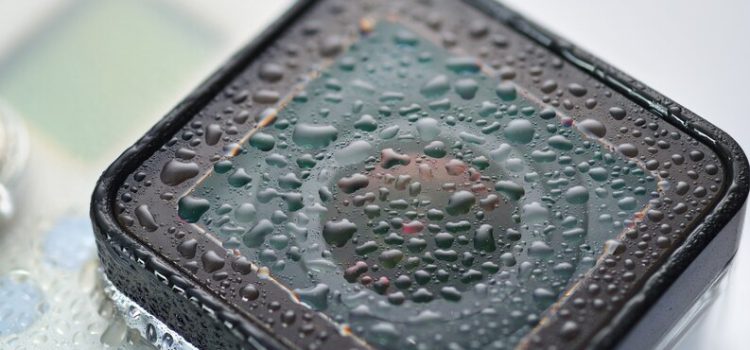
Computer Longevity in Humid Climates
Humid climates can be a tough environment for electronic devices, especially computers. Excess moisture in the air can lead to a range of problems, from hardware corrosion to mold growth. To ensure your computer’s longevity in such conditions, it’s essential to take proactive measures. Here are 7 key tips to help you shield and preserve your computer’s performance in humid climates.
Understanding the Challenge of Humid Climates
High humidity levels can wreak havoc on electronic components. Moisture can seep into delicate circuits and cause corrosion, leading to malfunctions or even complete failure. Additionally, the combination of heat and humidity creates an ideal breeding ground for mold and dust accumulation. To combat these issues, it’s crucial to adopt preventive strategies.

Choosing the Right Location for Your Computer
The placement of your computer plays a significant role in its lifespan. Avoid positioning it near windows, as direct sunlight exposure and potential rainwater leaks can be detrimental. Instead, opt for a well-ventilated area with consistent airflow. Elevating your computer slightly off the floor can also minimize the risk of moisture absorption.
Maintaining Proper Ventilation and Airflow
Adequate airflow is essential for preventing moisture buildup inside your computer’s case. Regularly clean the vents and fans to ensure proper ventilation. Consider using a small desk fan to enhance air circulation around your computer. If possible, open up the case and clean the internal components periodically, taking care not to damage any sensitive parts.
Investing in Humidity Control Accessories
Humidity control accessories can be valuable allies in your battle against excessive moisture. Silica gel packets are inexpensive and effective at absorbing moisture from the air. Place them near your computer, but avoid direct contact to prevent any damage. Dehumidifiers are another option, especially if you’re dealing with consistently high humidity levels.
Regular Cleaning and Maintenance
Frequent cleaning is vital for maintaining your computer’s health. Dust and debris accumulation can trap moisture and accelerate corrosion. Use a soft, anti-static brush to gently remove dust from your computer’s surfaces. Wipe down the exterior with a slightly damp microfiber cloth and ensure no liquid enters the ports or openings.
Sealing Cable Openings
Cable openings and ports are potential entry points for moisture. Seal them off using rubber or plastic grommets to create a barrier against humidity. This simple step can significantly reduce the risk of moisture-related damage to your computer’s internal components.
Backup and Data Protection
In humid climates, the risk of sudden hardware failure is higher. Therefore, regular data backups are crucial to prevent loss of important information. Use cloud storage or external hard drives to keep copies of your data. This way, even if your computer experiences an unexpected failure, your files remain safe and accessible.
Conclusion
Protecting your computer’s longevity in humid climates requires diligence and care. By following these 7 essential tips, you can shield your device from the harmful effects of moisture, corrosion, and mold growth. Remember to choose the right location, maintain proper ventilation, invest in humidity control, perform regular cleaning, seal cable openings, and prioritize data backups. With these measures in place, you’ll be well-prepared to ensure your computer’s optimal performance and durability, even in challenging environmental conditions.