
Should You Buy a Used CPU? What Are the Risks?

When it comes to the world of technology, the decision between purchasing new or used items is a discussion that never seems to fade. This debate becomes particularly relevant when considering central processing units (CPUs), the beating hearts of computers that significantly impact a machine’s performance. In this article, we delve into the question of whether buying a used CPU is a wise choice and explore the associated risks that come with it.

Why Consider Buying a Used CPU?

CPUs are a fundamental component of all off-the-shelf computers; without them, these machines simply wouldn’t function. Given this ubiquity, it’s important to ask why one would even consider buying a used CPU in the first place.
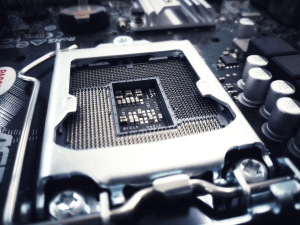
Used CPU risks
Image by https://www.makeuseof.com/

Performance Boost: Upgrading to a more powerful CPU is a straightforward and effective method to enhance a computer’s overall performance. A faster processor can lead to smoother multitasking, quicker application launches, and improved performance in resource-intensive tasks such as video editing or gaming.

Cost Savings: One of the primary motivations for opting for second-hand purchases is the potential for significant cost savings. Used CPUs often come at a fraction of the price of their brand-new counterparts. This appeal to budget-conscious consumers or those looking to build a powerful system without breaking the bank.

Compatibility: For individuals seeking to extend the lifespan of an older computer, a used CPU that is compatible with the existing motherboard can offer a practical solution. This can allow users to breathe new life into their machines without the need for a complete system overhaul.

So, on the surface, buying a used CPU seems like a no-brainer. It offers an economical way to improve a computer’s performance and can be especially appealing for those aiming to extend the life of older machines. But what potential risks lurk beneath the surface?

The Potential Risks of Used CPUs

As someone with over two decades of experience in building, repairing, and refurbishing computers, I can attest that CPUs have generally proven to be quite reliable components. In my experience, a used CPU is often more trustworthy than a used stick of RAM, for instance. However, that doesn’t mean there aren’t potential risks associated with used CPUs. Just like with any second-hand purchase, inherent risks exist, and CPUs are no exception.

Reliability: A CPU that has already endured heavy usage is more likely to fail. The challenge here lies in accurately determining the extent of its previous usage, which is often nearly impossible. While you can gauge the mileage of a used car from its dashboard, there are no similar mechanisms to reveal a CPU’s “mileage.”

Compatibility: Matching processors and motherboards is crucial. For example, the difference between Intel and AMD processors and motherboards involves distinct socket types like LGA and PGA. But this distinction is only the beginning; a CPU must also align with a compatible motherboard generation.

Used CPU risks
Image by https://www.makeuseof.com/

Misused Processors: CPUs that have been subjected to overclocking or overheating are more prone to failure. Overclocking, a common practice for enhancing performance, can, paradoxically, negatively impact a CPU’s longevity. Similarly, excessive heat resulting from insufficient heatsink compound or clogged cooling systems can lead to the same detrimental effect.
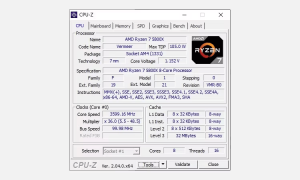
Used CPU risks
Image by https://www.makeuseof.com/

It’s important to note that despite these potential risks, numerous used CPUs function perfectly well and can provide considerable value. Nonetheless, understanding these risks and taking measures to mitigate them can contribute to a successful used CPU purchase, turning it into a smart decision rather than a costly mistake.

In the next section, we’ll explore what you should consider before purchasing a used CPU to ensure a successful transaction and minimize potential risks.


 

1. What Is Sublimation Printing?

Sublimation printing redefines creative possibilities through an innovative process involving solid dyes. By employing heat and pressure, these dyes transform into a gaseous state, which then sublimates onto fabric, resulting in captivating print designs.

2. Unveiling the Working Mechanism

Sublimation printers differentiate themselves by infusing dye directly into polyester-based materials. Unlike traditional methods, where colorants merely form a layer on the surface, sublimation printers chemically bond dye molecules with the material’s molecules.

Utilizing temperature-sensitive, evenly-spread dispersed dye particles, the gaseous dye bonds directly with the material’s molecules, ensuring longevity even after numerous washes. The printer’s heat press plays a crucial role in achieving this, applying both heat and pressure for effective sublimation.

3. From Design to Reality: The Printing Process

The journey of sublimation printing starts with crafting a digital design using graphic design software. Once the design is ready, it’s transferred onto special paper and placed on the material to be printed. The sublimation process takes over, as heat and pressure cause the dye to sublimate onto the fabric, creating vibrant, long-lasting prints.

Sublimation printer
Image by https://www.makeuseof.com/

4. Exploring the Potential and Limitations

Sublimation printers excel in color retention and quality post-washing, but they do have limitations. They are exclusive to polyester-based materials due to the specific chemical bonding process involved. Additionally, sublimation printing is most effective on light-colored materials, as dye-based prints require a light base.

5. Diverse Types of Sublimation Printers

a. Roll-to-Roll Sublimation Printers:

Designed for high-volume textile production, these printers continuously churn out designs on fabrics using large rolls of transfer paper.

Sublimation printer
Image by https://www.makeuseof.com/

b. 3D Sublimation Printers:

Tailored for irregular surfaces, these printers utilize heat and vacuum technology to transfer sublimation ink onto 3D objects like mugs and phone cases.

c. Desktop Sublimation Printers:

Ideal for small-scale endeavors, these printers offer convenience, affordability, and ease of setup. However, they come with a limited printing width.

d. Wide-Form

at Sublimation Printers:

Geared towards medium to large-scale printing needs, these printers provide flexibility with their larger capacity and the ability to print on sizeable transfer papers.

Sublimation printer
Image by https://www.makeuseof.com/

6. Bringing Creativity to Life

Sublimation printers empower you to infuse dye into polyester materials, resulting in captivating, enduring prints. From personalized apparel to stylish home décor and unique gift items, the possibilities are endless. Whether you’re a business owner seeking branded merchandise or an individual adding a personal touch to possessions, sublimation printers offer a world of creative opportunities.

In case you’re not ready to invest in a printer just yet, there are alternative methods to bring your designs to life on fabric.


Introduction to Software Vulnerabilities

The reliance on computer programs and code to power various tasks has become ubiquitous. However, the presence of coding flaws can open doors for vulnerabilities that malicious actors can exploit. These vulnerabilities vary in nature, ranging from minor glitches to critical security breaches. In the following sections, we will explore some of the worst software vulnerabilities that have caused widespread concern and chaos in the digital realm.

Log4Shell: A Zero-Day Exploit in Apache Log4j

One of the most infamous software vulnerabilities is Log4Shell, which exploited a critical flaw in Apache Log4j, a widely used Java logging framework. Discovered in November 2021, the vulnerability enabled remote code execution, allowing hackers to install malicious code and potentially steal sensitive data. This zero-day exploit was initially noticed within Minecraft servers and was swiftly exploited by cybercriminals before cybersecurity experts could respond.

While a patch was developed to address the Log4Shell vulnerability, its legacy persists. Cybercriminals continue to exploit it, and shockingly, a substantial number of public Minecraft servers remain vulnerable, providing an open invitation for attackers.

EternalBlue: The NSA’s Unintentional Creation

EternalBlue, also known as MS17-010, is a software vulnerability that gained significant attention in April 2017. What’s intriguing about this vulnerability is its origin—it was partly developed by the NSA. This vulnerability exposed millions of Windows-based devices, granting the NSA secret backdoor access. The leak of EternalBlue’s existence led to widespread exploitation, underlining the critical importance of prompt response and communication in cybersecurity.

Google Chrome
Image by https://pressmaverick.com/

Heartbleed: OpenSSL’s Critical Security Flaw

In 2014, the Heartbleed vulnerability shook the cybersecurity landscape. Present in the OpenSSL code library for years before its discovery, Heartbleed posed a significant threat due to its location in SSL encryption layers. Hackers could exploit this flaw to access sensitive data during communication processes. Though a patch was issued promptly, outdated versions of OpenSSL remain vulnerable to Heartbleed.

Google Chrome
Image by https://pressmaverick.com/

Double Kill: Critical Windows System Flaw

Double Kill (CVE-2018-8174) exposed Windows systems to severe risks. Discovered in 2018, it targeted Windows Internet Explorer and enabled attackers to gain unauthorized system access. This vulnerability highlighted the need for robust security measures within popular software.

CVE-2022-0609: Chrome’s Zero-Day Bug

CVE-2022-0609, identified in 2022, is a zero-day vulnerability affecting Chrome users. Its potential for remote code execution and data alteration posed a significant threat. Google promptly released a patch to address the issue.

BlueKeep: A Remote Execution Vulnerability

BlueKeep (CVE-2019-0708), discovered in 2019, impacted Microsoft’s Remote Desktop Protocol. This remote execution vulnerability targeted older Windows versions, emphasizing the importance of staying updated.

ZeroLogon: Microsoft’s High-Risk Software Flaw

ZeroLogon (CVE-2020-1472), discovered in 2020, targeted Microsoft’s Active Directory resource. Exploiting the authentication method, it compromised account details, highlighting the need for robust security practices.

The Significance of Software Vulnerabilities

Software vulnerabilities underscore the need for vigilance in cybersecurity. While not all vulnerabilities lead to exploitation, the risk demands proactive measures. Regular updates, antivirus protection, cautious link clicking, strong passwords, and awareness of scams form a comprehensive strategy.

Conclusion: Prioritizing Cybersecurity and Patching

The digital landscape is rife with vulnerabilities, but understanding, awareness, and action can mitigate their impact. Recognizing the worst software vulnerabilities serves as a reminder to prioritize cybersecurity, actively patch vulnerabilities, and maintain a proactive stance against evolving threats.

Can Listening to Audio via Headphones Cause Hearing Damage?

When it comes to the volume at which we listen to audio, our ears have a threshold that determines what we can hear. This auditory threshold is crucial for maintaining healthy hearing. Prolonged usage of headphones, particularly at high volumes, can push this threshold higher, making it harder to hear softer sounds. This phenomenon is supported by a 2016 study published in the American Journal of Otolaryngology, which highlights the correlation between extended audio device use and increased hearing thresholds.

A study back in 2007, featured in the Journal of Otolaryngology, also established that consistent use of personal listening devices can indeed impair our hearing function. This issue is particularly prevalent among adolescents and young adults who tend to listen to music for prolonged periods through headphones. A 2016 review in the International Journal of Audiology found that many young individuals surpass the recommended daily noise dose, especially in noisy environments, contributing to potential hearing damage.

Interestingly, the onset of hearing loss due to extended personal listening device use might not be immediately noticeable. The 2016 observational study highlights that it could take up to five years before any noticeable signs of hearing loss become apparent.

Hearing Loss Warning Signs

It’s important to recognize the signs of hearing loss so you can take action promptly. Some common warning signs include:

  • Muffled or unclear voices and sounds in the environment.
  • Persistent ringing or buzzing noises in the ears.
  • Difficulty hearing or distinguishing between spoken consonants.
  • Frequently asking others to repeat themselves or speak clearly.
  • Increasing the TV volume more than usual.
  • Struggling to hear high-pitched sounds.

    hearing damage
    Image by: https://www.makeuseof.com/how-headphones-impact-ears-prevent-hearing-damage/

Tips to Reduce Potential Hearing Damage From Headphone Use

  1. Turn Down the Volume: High volumes are a major contributor to hearing loss caused by headphones. Listening at lower, safer volumes can significantly reduce the risk of noise-induced hearing damage.
  2. Avoid Noisy Environments: Using headphones in loud surroundings often leads to cranking up the volume to drown out external noise. A 2021 study in the journal Medicine (Baltimore) found a strong link between headphone use in noisy environments and noise-induced hearing loss. Find quieter settings to enjoy your audio.
  3. Opt for Speakers: While headphones might not play music as loudly as speakers, their proximity to your eardrums intensifies the effect. Using speakers instead of headphones can relieve the strain on your ears.
  4. Invest in Noise Canceling Headphones: Noise-canceling headphones can be a smart investment. By reducing external noise, they enable you to listen at lower volumes while still enjoying your audio.
  5. Limit Usage Time: Alongside volume monitoring, it’s essential to manage the duration of headphone use. Even listening at slightly elevated volumes can become detrimental in as little as an hour, according to Harvard Health.

    hearing damage
    Image by: https://www.makeuseof.com/how-headphones-impact-ears-prevent-hearing-damage/

Does Choosing Headphones Over Earbuds Help?

Contrary to popular belief, the damage caused by personal audio devices isn’t dictated by whether you use headphones or earbuds. The critical factor is the volume reaching your eardrums. On-ear headphones and in-ear devices like earbuds impact long-term hearing similarly, as reported by the New York Times. Understanding this can guide your choice and help you make informed decisions.

Make Sure You’re Using Headphones Safely

To safeguard your hearing health, it’s essential to adopt safe headphone usage practices. Long-term misuse of headphones and earbuds can lead to hearing loss and other damage. By implementing simple changes, you can significantly protect your ears and enjoy your favorite audio for years to come.

Remember, while headphones enrich our audio experience, responsible usage is key to preventing hearing damage. Take control of your listening habits today for a healthier auditory future.

The Allure of Nostalgia in Tech Auctions

The allure of nostalgia is a universal phenomenon that transcends industries, and tech is no exception. Those who grew up in the ’80s and ’90s fondly remember the clunky yet cherished gadgets that defined their childhoods. This emotional connection has paved the way for a remarkable shift in auction dynamics. Items that were once disregarded as outdated and irrelevant are now sparking bidding wars among collectors and enthusiasts.

Unearthing Forgotten Treasures: Neglected Tech’s Resurgence

It’s remarkable how forgotten tech items have managed to find their way back into the limelight. Vintage video game consoles, retro mobile phones, and classic computer systems are among the items experiencing a resurgence in demand. This revival can be attributed to various factors, including a desire to relive the past, a fascination with the evolution of technology, and a sense of nostalgia-driven authenticity that modern gadgets often lack.

Tech Auctions
Image by https://pressmaverick.com/

The Psychology of Bidding Wars: Nostalgia’s Role

The psychology behind bidding wars for neglected tech items is fascinating. Nostalgia has the power to evoke powerful emotions and transport individuals back to simpler times. Collectors are not merely purchasing a piece of technology; they’re investing in memories. The emotional value attached to these items often outweighs their practical utility, resulting in aggressive bidding that defies conventional expectations.

Strategies for Navigating Neglected Tech Auctions

For both buyers and sellers, navigating neglected tech auctions requires a nuanced approach. For sellers, understanding the sentiment attached to these items can help determine their market value. Crafting compelling item descriptions that evoke nostalgia can attract more potential buyers. On the other hand, buyers should establish a budget and research the market to avoid overpaying. Participating in online forums and communities dedicated to vintage tech can provide valuable insights.

In conclusion, the bidding wars for neglected tech items in auctions showcase the unexpected value of nostalgia. As technology continues to evolve, the sentimental value of vintage gadgets holds a unique place in the hearts of collectors and enthusiasts. The resurgence of neglected tech is a testament to the enduring power of nostalgia, shaping auction dynamics and driving the market forward.

Remember, the key to success in this niche lies in understanding the psychology of nostalgia and employing savvy strategies when navigating these unique auctions. Whether you’re a seller capitalizing on the sentiment or a buyer seeking to relive the past, neglected tech auctions offer a captivating journey through time and technology.

Understanding Excel Lag on Windows

Excel, a vital tool for data management and analysis, can sometimes hit a speed bump on Windows. This lag can be frustrating and detrimental to your workflow. Understanding the causes is the first step in resolving this issue.

Optimize Excel Formulas and Functions

Complex formulas and functions can be a prime suspect behind Excel’s lag. Streamline your calculations by employing efficient functions and simplifying intricate formulas. This optimization can lead to a significant boost in responsiveness.

Windows
Image by https://pressmaverick.com/

Managing Large Datasets with Efficiency

Working with extensive datasets is another potential contributor to Excel lag. Master techniques like data sorting, filtering, and pivot tables to efficiently manage and analyze large volumes of data without sacrificing performance.

Updating Excel and Windows for Performance

Often, the remedy for lag is simpler than you think. Outdated software versions can drag down Excel’s speed. Regularly update both Excel and Windows to access the latest enhancements, bug fixes, and performance optimizations.

Minimizing External Add-ins and Plugins

External add-ins and plugins enhance Excel’s capabilities but can also be a source of lag. Audit and manage these extensions to prevent them from causing delays and disruptions in your workflow.

Adjusting Hardware Resources for Excel

Did you know that tweaking your hardware settings can give Excel a performance boost? Allocate more resources, such as RAM, and adjust processor affinity settings to provide Excel with the power it needs to run smoothly.

Utilizing Workbook and Worksheet Best Practices

Efficient workbook and worksheet practices can significantly impact Excel’s responsiveness. Organize your data logically, employ formatting judiciously, and eliminate unnecessary elements that contribute to lag.

In conclusion, battling Excel lag on Windows requires a multifaceted approach. By optimizing formulas, managing datasets, staying updated, managing add-ins, adjusting hardware resources, and adhering to best practices, you can restore Excel to its full potential.

Don’t let lag hold you back—implement these strategies and watch your Excel experience transform. Boost your speed, enhance responsiveness, and conquer your tasks with renewed efficiency.

Introduction: CONCAT Functions

In this article, we delve into the world of Excel’s text manipulation, focusing on two powerful functions: CONCATENATE and CONCAT. We’ll explore how these functions simplify the process of combining text and uncover the best practices for their efficient usage.

Understanding CONCATENATE Function:

The CONCATENATE function has long been a staple in Excel for merging text from different cells. We’ll break down its purpose, syntax, and usage through practical examples. Additionally, we’ll discuss its benefits and when to utilize it.

CONCAT Functions
Image by https://pressmaverick.com/

Exploring the CONCAT Function:

Introduced as an evolution of CONCATENATE, the CONCAT function offers enhanced capabilities. We’ll introduce the CONCAT function, highlighting its advantages over CONCATENATE and providing step-by-step examples to illustrate its usage.

Best Practices for Efficient Text Integration:

To make the most of CONCATENATE and CONCAT, it’s essential to prepare your data correctly. We’ll share tips for organizing data, avoiding common pitfalls, and ensuring smooth concatenation processes. Real-world examples will underscore these practices.

Enhancing Text Integration with Formulas:

Text integration often requires more than just concatenation. We’ll demonstrate how to combine CONCATENATE/CONCAT with other Excel functions, enabling dynamic text manipulation. Our examples will range from simple to advanced scenarios.

Excel’s Evolution: CONCATENATE to CONCAT: We’ll briefly explore the background of the CONCAT function’s introduction, highlighting the improvements it brings. Additionally, we’ll touch upon considerations if working with older Excel versions.

Conclusion: Efficient text integration is crucial in Excel, and CONCATENATE and CONCAT offer indispensable tools for this purpose. By mastering these functions and following best practices, users can streamline their data manipulation tasks and unlock the full potential of text integration in Excel.

Introduction: Microsoft Teams vs. Google Chat

In the modern world of remote work and global connectivity, effective team collaboration is essential. Microsoft Teams and Google Chat have emerged as two major contenders in the field, each offering unique features and capabilities. This article aims to provide a comprehensive comparison between Microsoft Teams and Google Chat, helping you choose the perfect collaboration tool for your team’s needs.

Features and Functionality:

Both Microsoft Teams and Google Chat offer a plethora of features designed to streamline communication and enhance productivity. Microsoft Teams excels in its integration with other Microsoft Office tools, allowing seamless document sharing and real-time co-editing. On the other hand, Google Chat seamlessly integrates with Google Workspace apps, providing a cohesive ecosystem for communication and collaboration. The choice here depends on your team’s familiarity with either platform and your preferred set of tools.

Teams vs. Google Chat
Image by https://pressmaverick.com/

Integration and Compatibility:

Microsoft Teams enjoys deep integration with Microsoft 365, making it an attractive choice for businesses heavily reliant on Microsoft’s suite of applications. Google Chat, on the other hand, effortlessly integrates with Google Workspace, offering a smooth experience for users already accustomed to Google’s tools. Consider your team’s existing tech stack and workflows to determine which platform’s integration suits you better.

User Experience:

User experience plays a vital role in the adoption of any collaboration tool. Microsoft Teams boasts a user-friendly interface with a focus on threaded conversations, channel organization, and direct file access. Google Chat, inspired by popular messaging apps, offers a chat-centric interface with virtual rooms for team discussions. Your team’s preference for either a chat-oriented or a channel-oriented approach will dictate the better choice.

Security and Privacy:

Security is a paramount concern when it comes to team collaboration platforms. Microsoft Teams offers advanced security features, including data encryption, multi-factor authentication, and compliance certifications. Google Chat also provides robust security measures, leveraging Google’s expertise in safeguarding data across its services. Evaluate the security features of both platforms based on your organization’s data protection needs.

Pricing Plans:

Pricing is a crucial factor for most businesses when choosing a collaboration platform. Microsoft Teams offers a range of plans, often bundled with Microsoft 365 subscriptions, catering to various organizational sizes. Google Chat comes as part of Google Workspace, with tiered pricing based on features and storage. Compare the pricing structures and assess which aligns with your budget and requirements.

Making Your Choice:

In the great debate of Microsoft Teams vs. Google Chat, the ultimate decision boils down to your team’s specific needs and preferences. If your team relies heavily on Microsoft tools and prefers channel-based communication, Microsoft Teams might be your champion. Conversely, if your team is already invested in Google Workspace and values a chat-centric interface, Google Chat could be the ideal choice. Consider factors like integration, user experience, security, and pricing to make an informed decision.

Conclusion:

In the end, both Microsoft Teams and Google Chat offer robust solutions for team collaboration. By examining their features, integration, user experience, security, and pricing, you can confidently select the platform that aligns with your organization’s goals. Whether you’re leaning towards the familiarity of Microsoft Teams or the seamless Google ecosystem of Chat, your team collaboration champion awaits.


Introduction: Phone Care Tips

The convenience of charging our devices in our bedrooms is undeniable. However, have you ever thought about the benefits of stepping beyond the borders of your room when it comes to phone care? In this article, we’ll explore seven compelling reasons why charging your devices outside your room is a smart choice.

Reducing Fire Hazards: Safety First

When it comes to technology, safety should always be a top priority. Charging devices in bedrooms can increase the risk of fire hazards due to factors like overheating or faulty chargers. By charging your devices in open spaces, you reduce the likelihood of fires, ensuring a safer living environment for you and your loved ones.

Phone Care
Image by https://pressmaverick.com/

Enhancing Battery Lifespan: Optimal Charging Practices

We’ve all experienced the frustration of a smartphone battery that seems to drain quickly. Believe it or not, your charging habits play a significant role in your device’s battery lifespan. Charging devices in different environments can actually contribute to prolonging battery health. The varying temperatures and charging patterns can help maintain battery capacity over time.

Minimizing Disturbances: Uninterrupted Rest

Your bedroom should be a sanctuary for rest and relaxation. However, charging devices in the bedroom can lead to sleep disturbances. Notifications, buzzing sounds, and the glow of charging devices can interfere with your sleep routine. Charging your devices outside your room allows you to enjoy uninterrupted rest, promoting better sleep quality.

Avoiding Overcharging: Smart Energy Consumption

Overcharging not only harms your device’s battery but also wastes energy. By charging your devices in spaces away from your room, you’re more likely to unplug them once they’re fully charged. This energy-conscious behavior benefits not only your device’s longevity but also contributes to a more sustainable planet.

Exploring New Spaces: Increased Mobility

Setting up charging stations in various areas of your home encourages you to explore different spaces. It increases your mobility and adaptability, allowing you to change your environment without worrying about the availability of charging outlets. This newfound flexibility can positively impact your productivity and creativity.

Decluttering Your Space: Aesthetic Appeal

A cluttered space can lead to a cluttered mind. Charging your devices outside your room eliminates the tangled mess of charging cables and devices on your bedside table. This simple change can contribute to a more organized and visually appealing living area, promoting a sense of calm and order.

Conclusion

In the world of technology, small changes in habits can make a big difference. Charging your devices beyond the borders of your room is one such change that offers numerous benefits. From safety and battery health to uninterrupted sleep and aesthetic appeal, the reasons to embrace phone care beyond borders are both wise and compelling. So, next time you reach for your charger, consider stepping outside your room and reaping the rewards of a more mindful approach to device charging.

Computer Longevity in Humid Climates

Humid climates can be a tough environment for electronic devices, especially computers. Excess moisture in the air can lead to a range of problems, from hardware corrosion to mold growth. To ensure your computer’s longevity in such conditions, it’s essential to take proactive measures. Here are 7 key tips to help you shield and preserve your computer’s performance in humid climates.

Understanding the Challenge of Humid Climates

High humidity levels can wreak havoc on electronic components. Moisture can seep into delicate circuits and cause corrosion, leading to malfunctions or even complete failure. Additionally, the combination of heat and humidity creates an ideal breeding ground for mold and dust accumulation. To combat these issues, it’s crucial to adopt preventive strategies.

Computer longevity
Image by https://pressmaverick.com/

Choosing the Right Location for Your Computer

The placement of your computer plays a significant role in its lifespan. Avoid positioning it near windows, as direct sunlight exposure and potential rainwater leaks can be detrimental. Instead, opt for a well-ventilated area with consistent airflow. Elevating your computer slightly off the floor can also minimize the risk of moisture absorption.

Maintaining Proper Ventilation and Airflow

Adequate airflow is essential for preventing moisture buildup inside your computer’s case. Regularly clean the vents and fans to ensure proper ventilation. Consider using a small desk fan to enhance air circulation around your computer. If possible, open up the case and clean the internal components periodically, taking care not to damage any sensitive parts.

Investing in Humidity Control Accessories

Humidity control accessories can be valuable allies in your battle against excessive moisture. Silica gel packets are inexpensive and effective at absorbing moisture from the air. Place them near your computer, but avoid direct contact to prevent any damage. Dehumidifiers are another option, especially if you’re dealing with consistently high humidity levels.

Regular Cleaning and Maintenance

Frequent cleaning is vital for maintaining your computer’s health. Dust and debris accumulation can trap moisture and accelerate corrosion. Use a soft, anti-static brush to gently remove dust from your computer’s surfaces. Wipe down the exterior with a slightly damp microfiber cloth and ensure no liquid enters the ports or openings.

Sealing Cable Openings

Cable openings and ports are potential entry points for moisture. Seal them off using rubber or plastic grommets to create a barrier against humidity. This simple step can significantly reduce the risk of moisture-related damage to your computer’s internal components.

Backup and Data Protection

In humid climates, the risk of sudden hardware failure is higher. Therefore, regular data backups are crucial to prevent loss of important information. Use cloud storage or external hard drives to keep copies of your data. This way, even if your computer experiences an unexpected failure, your files remain safe and accessible.

Conclusion

Protecting your computer’s longevity in humid climates requires diligence and care. By following these 7 essential tips, you can shield your device from the harmful effects of moisture, corrosion, and mold growth. Remember to choose the right location, maintain proper ventilation, invest in humidity control, perform regular cleaning, seal cable openings, and prioritize data backups. With these measures in place, you’ll be well-prepared to ensure your computer’s optimal performance and durability, even in challenging environmental conditions.